Blog
- Category
- Beginner Guides
- Samkey Tool Guides
- Octoplus Guides
- Z3x Teams Tools Tool Guides
- Chimera Tool Guides
- Sim-Unlocker-Pro Guides
- Flashing & Software Repair
- Cheetah Tool Guides
- Troubleshooting & Fixes
- GSM Tools Comparison
- Samsung Guides
0Best Chimera Tool Reseller in 2026 – How to Choose a Safe & Reliable Credits Provider
30 Apr, 2026Best Chimera Tool Reseller in 2026 – How to Choose a Safe & Reliable Credits Provider
If you want to buy Chimera Tool credits or licenses safely, the most important step is choosing a trusted reseller. The best Chimera reseller should be officially listed, offer secure payment methods, and provide real technical support in case something goes wrong.
In this guide, we’ll explain how to choose a reliable Chimera reseller and what to avoid when buying credits online.
What Is a Chimera Tool Reseller?
A Chimera reseller is a company or platform that sells official Chimera Tool licenses and credits used for servicing and maintaining mobile devices.
Because credits are used for real operations, choosing the right reseller is important for both reliability and long-term account safety.
How to Choose a Reliable Chimera Reseller
Before buying Chimera credits, check the following criteria:
- Official listing – The reseller should be listed on the official Chimera Tool website
- Payment methods – They should offer payment options you can actually use
- Fast delivery – Credits should be delivered instantly or within minutes
- Technical knowledge – The reseller should understand the tool and real use cases
- Support availability – Real help is essential if something goes wrong
Many problems in GSM workflows are not caused by the tool itself, but by unreliable sources that cannot provide assistance when needed.
Why Official Resellers Matter
Official Chimera resellers receive credits directly from Chimera at preferential pricing, which allows them to offer stable and competitive prices.
If someone offers significantly cheaper credits than official resellers, this can be a warning sign. In some cases, those credits may come from unauthorized methods or sources.
Besides the risk of losing money, using credits from unofficial sources may lead to account-related issues, including potential restrictions if the credits were not obtained through official channels.
For this reason, it is always recommended to buy only from officially listed resellers.
Payment Flexibility – A Key Factor
A good reseller should support multiple payment methods, especially for international customers.
- Credit / debit card
- PayPal
- Cryptocurrency (such as USDT)
Flexible payment options allow you to get credits instantly when needed, especially in time-sensitive repair situations.
Technical Support – Often Overlooked
Many users focus only on price, but technical support is just as important.
A reliable reseller should:
- Understand how Chimera Tool works in real scenarios
- Help you choose the correct service or operation
- Assist you if something doesn’t work as expected
This is especially important for GSM repair shops that rely on tools daily.
Which GSM Tool Is Actually Worth Using?
Choosing the right reseller is important, but choosing the right tool matters just as much.
If you want a full breakdown of the most popular GSM tools (including Chimera Tool), you can read this comparison:
???? Best GSM Unlock Tool for 2026 – Full Comparison
In that analysis, Chimera Tool stands out as one of the most reliable and well-supported tools currently available, especially for Samsung devices.
Why Many Users Choose UnlockResellers
- Official Chimera reseller with over 15 years of experience in the GSM software industry
- Direct access to official Chimera credits and licenses
- Multiple payment options: card, PayPal, and cryptocurrency (USDT)
- Automated system for instant credit delivery
- Real technical support based on practical GSM experience
For our registered customers, most payment methods are fully automated. This means that once payment is completed, credits are delivered instantly without delays.
This is especially useful when you need to complete a job quickly.
For business customers, we also provide official invoices and flexible payment options such as bank transfers (USD wire or SEPA), helping reduce transaction fees compared to card payments.
???? Check available credits and services here
Common Mistakes to Avoid
- Choosing a reseller based only on price
- Buying from unofficial or unknown sources
- Ignoring support availability
- Not verifying if the reseller is officially listed
These mistakes can lead to delays, failed operations, or unnecessary risks.
FAQ
Are all Chimera resellers the same?
No. Official resellers provide reliable credits and support, while unofficial ones may create risks.
How fast are Chimera credits delivered?
With a proper reseller, credits are usually delivered instantly or within a few minutes.
What payment methods are supported?
Most professional resellers support card, PayPal, and cryptocurrency options such as USDT.
Can I get help if something goes wrong?
Yes, a reliable reseller should be able to assist you with technical guidance.
Conclusion
Choosing the right Chimera reseller is not just about price. It’s about reliability, speed, and support.
A trusted reseller helps you avoid problems, save time, and complete jobs more efficiently.
If you rely on Chimera Tool in your daily work, working with the right partner makes a real difference.
0Samsung Re-Locked After Update? Fix for S25, S24, Fold 6 & Flip 6 (Working 2026 Method)
30 Apr, 2026Samsung Re-Locked After Update? Fix for S25, S24, Fold 6 & Flip 6 (Working 2026 Method)
If your Samsung phone became network locked after a recent update, especially on models like S25, S24, Fold 6 or Flip 6, the issue is usually caused by changes in modem (CP) firmware after OTA updates. A working fix involves flashing an older modem version with the same BIT level and preventing future updates that may trigger the relock again.
This issue has been widely reported after the January 2026 Samsung updates, especially on U.S. carrier devices that were previously working normally.
What Happens When Samsung Gets Re-Locked?
- Network Locked or Phone Locked message
- Phone asks for MCK unlock code
- SIM card no longer works
This can happen even if the phone was fully working before the update.
Why Samsung Phones Re-Lock After Updates
Samsung updates the modem (CP) firmware separately from the main system. When this changes:
- Previous unlock state may no longer apply
- Carrier restrictions may be re-applied
- Device may behave as locked again
This is especially common on newer U.S. Samsung models.
Supported Models
- S25 Series: SM-S938U, SM-S937U, SM-S936U, SM-S931U
- S24 Series: SM-S928U, SM-S926U, SM-S921U
- Fold 6: SM-F956U
- Flip 6: SM-F741U
Working Fix: Flash Older Modem (CP)
The most effective fix is to flash an older CP (modem) firmware with the same BIT version.
- Do NOT downgrade BIT version
- Use correct firmware for your exact model
- Flash only CP file (not full firmware)
This restores the previous modem behavior and allows the phone to accept SIM cards again.
Important Limitation
- OTA updates may stop working
- Future updates may relock the phone again
Disable Updates (ADB Method)
adb shell cmd package disable-user user 0 com.wssyncmldm
adb shell cmd package uninstall user 0 com.sec.android.soagent
Requirements:
- USB debugging enabled
- Samsung USB drivers installed
- ADB tools installed
Important: Different Fix for S25 vs S24
Samsung S25 models use a newer firmware structure and may require a different approach when flashing fails.
???? If you are working on S25 models or get errors like super.img fail, follow this guide:
Samsung S25 Odin Flash Fail Fix (super.img)???? If you are working on S24, S23, S22 or older models, use the standard Odin method here:
Samsung Flash Guide (No Data Loss – Odin Method)Common Mistakes to Avoid
- Using wrong firmware
- Wrong BIT version
- Updating again after fix
- Trying random methods without understanding cause
What If the Fix Stops Working?
If Samsung releases a new firmware with higher BIT version, this fix may no longer work.
In that case:
- The phone may need to be unlocked again
- Alternative servicing methods may be required
If you want a faster solution, you can contact us or place an order directly.
Need Help with Samsung Unlock or GSM Tools?
At UnlockResellers.com, we work with GSM technicians worldwide and provide tested solutions for real device issues.
???? Visit UnlockResellers.com
FAQ
Why did my Samsung re-lock after update?
Because modem firmware changed and reset the unlock state.
Will this fix work permanently?
It works until another update changes the modem again.
Can I update after fixing?
Not recommended, as it may relock the device.
Does this apply to all Samsung models?
Mainly newer Samsung devices, especially U.S. variants.
0How to Flash Samsung S24, S23, S22 with Odin (No Data Loss) – Full Beginner Guide 2026
30 Apr, 2026How to Flash Samsung S24, S23, S22 or Older with Odin Without Losing Data
If you want to flash firmware on a Samsung S24, S23, S22 or older Samsung Galaxy model with Odin, the safest beginner method is to use the correct firmware for your exact model, load the BL, AP, CP and HOME_CSC files properly, and avoid downgrading below the allowed bootloader version. Using HOME_CSC usually helps keep user data, while CSC performs a clean flash and may erase the phone.
This guide is written for beginners and GSM technicians who want a simple, safe workflow for updating or repairing Samsung firmware with Odin, while reducing the risk of errors, freezing, soft brick, or data loss.
Watch the full step-by-step Samsung flashing tutorial using Odin below. This method works for S24, S23, S22 and older models and helps avoid common errors and data loss.
What This Method Is For
This Odin flashing method is useful when you need to:
- Update Samsung firmware manually
- Repair software issues caused by corrupted firmware
- Flash stock firmware back to the phone
- Fix boot loops caused by software problems
- Change or restore firmware when the phone still allows normal flashing
It is especially useful for Samsung S24, S23, S22 and many older Galaxy models where standard Odin flashing still works correctly.
Supported Samsung Models
This guide can apply to many Samsung Galaxy models, including:
- Samsung Galaxy S24 series
- Samsung Galaxy S23 series
- Samsung Galaxy S22 series
- Samsung Galaxy S21 and older supported models
- SM-S928U, SM-S926U, SM-S924U
- SM-S918U, SM-S916U, SM-S911U
- SM-S908U, SM-S906U, SM-S901U
Always confirm the exact model number before flashing. A firmware package for a similar-looking model may still be incompatible.
Files You Need Before Flashing
Before starting, prepare the following files:
- Samsung USB drivers – needed so the PC can detect the phone correctly
- Patched Odin – often preferred by GSM technicians for better compatibility
- Correct Samsung firmware – downloaded for the exact model and region/CSC
- USB cable – preferably original or high-quality
- Windows PC – Odin is a Windows flashing tool
For firmware, you can use a trusted Samsung firmware source such as SamFW. The most important thing is not just downloading firmware, but downloading the correct firmware for your exact model, binary and CSC.
Important: HOME_CSC vs CSC
This is one of the most important parts of Samsung flashing.
- HOME_CSC is usually used when you want to keep the user data on the phone.
- CSC performs a cleaner flash and may erase data from the device.
If your goal is to update or repair the phone without wiping it, use HOME_CSC. If the phone is badly corrupted, stuck in boot loop, or needs a clean repair, using CSC may be required, but the customer must understand that data loss can happen.
Step 1: Check the Exact Model Number
Before downloading anything, confirm the exact Samsung model. You can check it from:
- Settings > About phone, if the phone still boots
- Download Mode screen
- The phone box or original label
- ADB, if the phone is detected and USB debugging is available
Do not assume the model based only on the phone name. For example, a Samsung S24 Ultra can have different variants depending on region and carrier.
Step 2: Download the Correct Firmware
After confirming the exact model, download firmware that matches:
- The exact model number
- The correct bootloader/binary version
- The correct CSC or region
- The Android version you want to flash
Avoid downgrading below the allowed bootloader version. Samsung devices usually block downgrades when the binary version is lower than the current one.
Step 3: Extract the Firmware Package
After downloading the firmware, extract the archive on your PC. You should normally see files similar to:
- BL – bootloader file
- AP – main system file and usually the largest file
- CP – modem/baseband file
- CSC – clean flash file, may erase data
- HOME_CSC – used when trying to keep data
Be patient when loading the AP file in Odin. It is often large and Odin may look frozen for a short time while it processes the file.
Step 4: Install Samsung USB Drivers
Install Samsung USB drivers before connecting the phone in Download Mode. If the drivers are missing or corrupted, Odin may not detect the device correctly.
After installing the drivers, restart the PC if needed. This simple step can prevent many connection problems.
Step 5: Put the Samsung Phone into Download Mode
To enter Download Mode on most recent Samsung models:
- Power off the phone completely.
- Hold the required button combination for your model.
- Connect the USB cable to the PC while entering Download Mode.
- Confirm the warning screen to continue into Download Mode.
The exact button combination can vary by model, but most newer Samsung devices use the volume buttons while connecting the USB cable.
Step 6: Load the Odin Files Correctly
Open Odin and load the files in the correct slots:
- BL goes into the BL slot
- AP goes into the AP slot
- CP goes into the CP slot
- HOME_CSC goes into the CSC slot if you want to keep data
Do not mix the files. Loading the wrong file into the wrong slot can cause flashing errors.
Step 7: Start Flashing
Once Odin detects the phone and all files are loaded correctly, click Start.
During flashing:
- Do not disconnect the cable
- Do not close Odin
- Do not restart the PC
- Wait until Odin shows PASS
The first boot after flashing can take longer than usual. This is normal.
How to Avoid Odin Freezing or Crashing
If Odin freezes or crashes while loading files, especially AP, try the following:
- Use a patched Odin version
- Run Odin as administrator
- Extract the firmware fully before loading it
- Place firmware files in a simple folder path, such as C:SamsungFirmware
- Close unnecessary programs before flashing
- Use a stable USB port directly on the PC, not a hub
In many cases, Odin is not actually frozen. The AP file can take time to load because it is very large.
When This Method May Not Work
This method works well for many Samsung S24, S23, S22 and older models, but it may not be suitable for every situation.
It may not work if:
- The phone is on a newer bootloader and you are trying to downgrade
- The firmware does not match the exact model
- The device has a deeper software or partition issue
- The phone is a newer model that requires a different flashing workflow
- The device is already badly soft-bricked
For Samsung S25, S25+ and S25 Ultra, flashing can be different. If Odin fails at super.img or shows an incompatible download program message, follow this guide instead: How to Fix Odin Flash Fail on Samsung S25.
Common Mistakes to Avoid
- Using CSC instead of HOME_CSC by mistake – this can wipe user data.
- Downloading firmware for the wrong model – similar model names are not always compatible.
- Trying to downgrade the bootloader – this is usually blocked by Samsung security.
- Disconnecting the phone during flashing – this can cause a soft brick.
- Using a bad USB cable or hub – unstable connection can interrupt flashing.
FAQ: Flashing Samsung with Odin
Can I flash Samsung firmware without losing data?
Yes, in many cases you can flash Samsung firmware without losing data by using HOME_CSC instead of CSC. However, data loss is still possible if the phone is already damaged, corrupted, or if a clean flash becomes necessary.
What is the difference between CSC and HOME_CSC?
CSC usually performs a clean flash and may erase data. HOME_CSC is normally used when you want to keep the data on the phone.
Why does Odin freeze when loading AP?
The AP file is usually very large, so Odin may appear frozen while loading it. Wait a few minutes before assuming the program has crashed.
Can I downgrade Samsung firmware with Odin?
Only if the bootloader version allows it. If the binary version is lower than the one already installed on the phone, Samsung will usually block the downgrade.
Does this work for Samsung S25?
Samsung S25 flashing may require a different method, especially if Odin fails at super.img. For S25 models, use the dedicated S25 Odin fix guide linked above.
Need GSM Tools, Credits or Technical Support?
At UnlockResellers.com, we support GSM repair shops with software tools, activations, credits and practical guidance for real repair situations.
If you regularly work with Samsung phones, choosing the right tool and understanding the correct flashing method can save time, prevent mistakes and reduce customer issues.
Explore GSM tools and support here: UnlockResellers.com
0Best GSM Service Tools Compared: Key Tool vs Global Unlocker Pro vs SimUnlocker Pro (Tested on Vortex HD65 Network Unlock)
04 Mar, 2026In this comparison we tested three popular mobile service platforms — Key Tool, Global Unlocker Pro, and SimUnlocker Pro — on a real technician case involving a Vortex HD65 network unlock.
Instead of just looking at features on paper, this test shows how each tool behaves during a real operation. Many repair shops use several service platforms because different tools are stronger in different situations depending on the phone brand, chipset, or type of job.
In the video below you can see how each tool performs and what type of work each platform is usually preferred for by technicians.
Video Demonstration
You can watch the full comparison below where the Vortex HD65 device is serviced using all three tools.
Tools Tested in This ComparisonKey Tool
Key Tool is known in the repair community mainly for its low credit cost and simple interface, making it a practical option for daily service work.
In the video test, Key Tool was one of the platforms used for the Vortex HD65 operation. In many repair shops it is also frequently used when technicians work with Sprint and Boost Samsung devices, where it has proven to be reliable for those types of cases.
Technicians usually appreciate:
• lower credit cost compared to many tools
• simple and lightweight interface
• efficient for Sprint and Boost Samsung work
• fast workflow with minimal setup
• no yearly license requiredBest for:
Repair shops that want a cost-efficient platform and often handle carrier-specific Samsung devices.
Global Unlocker Pro
Global Unlocker Pro offers a modern interface and very strong support for Samsung devices, which is why many repair technicians keep it as part of their daily toolkit.
In the video comparison it was used on the Vortex HD65 operation, but the tool is particularly well known among technicians for tasks such as Samsung FRP procedures and Samsung MCK reset operations.
Key advantages include:
• modern and organized interface
• strong support for Samsung service procedures
• reliable for Samsung MCK reset tasks
• stable connection and automatic device detection
• frequent updates and improvementsBest for:
Repair shops that frequently service Samsung devices and perform Samsung maintenance operations.
SimUnlocker Pro
SimUnlocker Pro is a platform many technicians rely on when dealing with MediaTek-based devices.
In the video demonstration it was also used for the Vortex HD65 test. The tool is especially appreciated for how it handles MTK devices automatically, switching connection modes when necessary and offering several advanced service options.
Technicians often highlight:
• excellent support for MediaTek devices
• automatic connection mode handling
• wide range of operations available per model
• advanced options for experienced users
• no yearly license requiredBest for:
Repair shops that frequently work with MTK-based smartphones.
Final Thoughts
Each of these tools has its own strengths, which is why many professional repair shops use multiple platforms together.
From the situations shown in this test and from everyday technician experience:
Key Tool is very practical for Sprint and Boost Samsung work.
Global Unlocker Pro is widely used for Samsung maintenance procedures such as FRP operations and MCK reset tasks.
SimUnlocker Pro stands out when working with MediaTek devices.
Choosing the right platform depends on the types of devices you see most often in your repair shop.
All three tools are available through UnlockResellers.com, where technicians can activate accounts quickly and fund them using multiple payment methods.
0Samsung Phone Re-Locked After Update? What’s Happening and How to Fix It
11 Feb, 2026If your Samsung phone suddenly became network locked after a recent update, this article explains why it happened and what you can do about it.
Since the January 2026 Samsung update, many users have reported that their phones, which were previously unlocked, became locked again after installing the update. This has been happening mostly on newer U.S. Samsung models, and in most cases the devices had been unlocked using what is commonly known as the Limited Country Unlock, also referred to as the Relock method.
After updating, affected phones may start showing messages such as Network Locked or Phone Locked. In some situations, the device may even ask for an MCK unlock code, including on carriers that normally do not require one. For many users, this comes as a surprise, especially if they were not aware of the unlock method originally used on their phone.
Why this happens after updates
The Limited Country / Relock unlock method works under specific conditions and relies heavily on software behavior. When Samsung pushes a major update or a security patch, those conditions can change. As a result, the system may silently reapply the original carrier lock during or after the update process.
This is why the issue suddenly appeared for many users after the January 2026 update.
How the relock can be fixed
In many cases, the relock can be fixed by flashing an older modem (CP) firmware, as long as it has the same BIT (binary) version as the firmware currently installed on the phone.
The BIT version is critical. Flashing a modem from a lower BIT version will not work, but using a compatible CP from the same BIT version can restore network access.
An important side effect of this method is that, because the modem version no longer matches the rest of the firmware, Samsung OTA system updates usually stop working automatically. This is actually useful in this situation, because it helps prevent the phone from updating again and re-locking itself.
In the video linked below, the entire process is shown step by step.
???? Video tutorial:
https://youtu.be/8B6Anm9Li2MPreventing the relock from happening again
To be extra safe, it’s still recommended to manually disable Samsung system updates. In the video, I also show how to do this using ADB commands, which is the safest and most reliable method.
This update-blocking method is not only useful for this specific relock issue. It can also be used in general on Samsung phones if you want to avoid problematic updates, keep a stable firmware version, or prevent unexpected software changes.
The ADB commands used are:
To use ADB, you need Samsung USB drivers installed and Android Platform Tools on your PC. ADB is not included by default in Windows.
Samsung USB drivers can be downloaded from Samsung’s developer website, and Android Platform Tools are available directly from Google.
Affected and supported models
This issue has been tested or reported working on several newer Samsung models, including the Galaxy S25 series (SM-S938U, SM-S937U, SM-S936U, SM-S931U), the Galaxy S24 series (SM-S928U, SM-S926U, SM-S921U), as well as the Galaxy Fold 6 (SM-F956U) and Galaxy Flip 6 (SM-F741U).
The same fix may also work on other Samsung models, as long as an older modem with the same BIT version is available and the device was unlocked using the same method.
Tools used
The modem flashing process is done using Odin. The version used in the video can be downloaded here:
https://androidfilehost.com/?fid=9180008750105245345Firmware files are sourced from SamFW.
Important note
Do not update the phone to a newer firmware with a higher BIT version. Once the BIT version increases, this fix may no longer be possible.
For phone repair and GSM service shops
If you run a phone repair or GSM service shop, situations like this can quickly turn into wasted time if you’re not prepared. For professional unlocking tools, firmware solutions, and GSM-related services, you can register at:
???? https://unlockresellers.com
0Chimera Tool Licenses & Credits Explained: What You Actually Need to Use Chimera Tool
21 Jan, 2026Many repair shops search for “Chimera Tool credits price” or “how many Chimera credits do I need”, but the real confusion usually starts earlier.
Chimera Tool works with a dual system: licenses + credits.
To use the software properly, you need both, and each one serves a different purpose.This article explains, in simple terms:
how Chimera licenses work
how credits are priced and consumed
what limits you should be aware of
how to choose the right setup for your repair business
This guide is intended for professional phone repair shops and technicians.
1. Chimera Tool Licenses: Annual and Mandatory
Chimera Tool requires an active license in order to use the software in a professional environment.
Important facts:
Chimera licenses are valid for 12 months (annual licenses)
Without an active license, you cannot properly use Chimera Tool
Licenses must be renewed yearly to continue using the software
Chimera offers several license plans (such as Basic, Professional, and Premium), designed for different business volumes.
2. License Phone Connection Limits (Very Important)
Each Chimera license includes a maximum number of phone connections per year.
For example:
Basic License includes up to 100 phone connections per year
Higher plans include significantly more connections
A “phone connection” is counted when a device is connected to Chimera Tool.
In some cases, even an unsuccessful attempt may count as a connection.This means that license choice should be based on your real workload, not only on price.
3. Chimera Credits: What They Are and How Much They Cost
Credits are used for paid operations inside Chimera Tool.
Key points:
Credits are consumed per operation
The number of credits depends on:
device brand and model
type of procedure
security level
Chimera version
Official credit price:
10 credits = 1 USD
1 credit = 0.1 USD
This pricing makes Chimera operations relatively affordable, especially for repair shops with regular workflow.
Credits do not expire and can also be used to purchase licenses or hardware directly from the Chimera ecosystem.
4. License vs Credits: Simple Explanation
This is the easiest way to understand it:
License = permission to use Chimera Tool for 12 months + phone connection limit
Credits = cost of individual paid operations
You need both:
✔ a valid license to run the software
✔ credits to perform paid proceduresHaving credits without a license is not useful, and having a license without credits limits what you can do.
5. How Many Credits Do You Really Need?
It depends on your business size.
Small repair shops / occasional use
50–100 credits are usually enough to startMedium service centers
200–500 credits offer flexibility and better planningHigh-volume repair businesses
1000+ credits reduce downtime and improve efficiencyBecause credits are inexpensive (0.1 USD each), many professionals keep a credit balance ready for urgent jobs.
6. Common Mistakes to Avoid
These are frequent reasons for wasted credits or license limits:
Not checking credit cost before starting an operation
Using outdated Chimera versions
Attempting unsupported models or procedures
Unstable USB connection during operations
Ignoring license phone-connection limits
Understanding these points helps avoid unnecessary losses.
7. Final Thoughts
Chimera Tool is a powerful professional GSM software, but using it efficiently requires understanding how licenses and credits work together.
If you run a repair business, choosing the right license plan and managing credits correctly will:
control costs
prevent unexpected limits
improve daily workflow
???? Need Chimera Tool Licenses or Credits?
Get fast delivery, multiple payment options, and professional support from our reseller platform.
???? Chimera Tool Licenses & Credits – UnlockResellers
0Best GSM Unlock Tool for 2026: Which One Is Worth Keeping from Beginner to Pro?
19 Jan, 2026If you work with phone unlocking or GSM software, you’ve probably asked yourself this question at least once:
If I had to buy only ONE GSM unlock tool for 2026, which one would it be?
This is not an easy decision. GSM tools are expensive, policies change, and what works today may not be relevant in a year. Some tools are very beginner-friendly but limited, while others are extremely powerful but hard to use if you’re just starting out.
To answer this properly, I compared five of the most popular GSM unlock tools used worldwide and evaluated them using real-world criteria — not marketing claims.
The GSM Unlock Tools Compared
In this comparison, I included:
Chimera Tool
UnlockTool
Octoplus Full Digital
Pandora (Z3X team)
Cheetah Tool Pro
All tools were evaluated using the same criteria, so the comparison is fair.
The Comparison Criteria
Each tool was scored based on:
Ease of use – How beginner-friendly the tool is
Coverage & functions – Supported brands, models, and operations
Price & license flexibility – Value for money
Update frequency in 2025 – How actively the tool is maintained
Support & community feedback – Real help when things go wrong
This matters because a GSM tool isn’t just software — it’s something you rely on daily.
Short Overview of Each Tool
Cheetah Tool Pro
Cheetah is one of the newer tools, becoming popular around 2022. It stands out for its simple interface, low price, and fast responses on forums. Coverage is still growing, especially compared to older tools, but it’s a solid choice for beginners or as a secondary helper tool.
Best for: beginners, low budget, simple jobs
Limitations: smaller device coverage
Chimera Tool
Chimera is one of the most established GSM tools, active since around 2011. It was among the first to move away from hardware boxes to online licenses — a model now used by almost all tools.
It is extremely easy to use, installs drivers automatically, detects devices, and suggests available operations. Documentation and supported-operations lists are clear and public.
Best for: long-term use, beginners to professionals
Limitations: higher price, strict account policies
Octoplus Full Digital
Octoplus comes from a very experienced team (GSMServer) and has been on the market since the early 2010s. While not always the first with new features, it is known for stability, strong Samsung/FRP support, and Exynos (EUB)-related workflows.
They also offer short-term licenses, which is useful for occasional work.
Best for: Samsung, FRP, Exynos-related jobs
Limitations: multiple modules
Pandora (Z3X Team)
Pandora is a newer product (around 2021) from the Z3X team. It developed quickly and became very strong in MTK-based devices and advanced service modes.
However, it is more technical and often requires test-point work, making it less beginner-friendly.
Best for: advanced users, MTK work
Limitations: Better suited for users with some experience
UnlockTool
UnlockTool has grown very fast since 2021. It offers strong support for Chinese brands like Xiaomi, OPPO, and vivo, and is one of the few multi-brand tools that also supports iPhone workflows.
It’s also the cheapest tool in this comparison, with frequent updates and flexible licensing.
Best for: best price/value, Chinese brands, iPhone support
Limitations: more technical interface, support mainly via Telegram/WhatsApp
Update Activity in 2025
Update frequency shows how alive a tool is. In 2025:
Chimera Tool: 44 updates
UnlockTool: 42 updates
Cheetah Tool Pro: 35 updates
Octoplus: 34 updates
Pandora: ~25 updates
While update quality also matters, frequency is a strong indicator of ongoing development.
Support, Community & Policies
Generic review sites are not reliable for GSM tools. The best feedback comes from:
GSMHosting
Martview
Telegram and Facebook GSM groups
Official documentation and support channels
Chimera and Cheetah offer website chat. Octoplus and Pandora respond publicly on forums. UnlockTool focuses on Telegram and WhatsApp support.
One important point to understand is account and PC-change policies. All tools have limits to prevent abuse. Chimera is known to be stricter, especially regarding remote work. UnlockTool and Cheetah are generally more flexible. Always check policies before buying.
Final Scores (Out of 5)
Based on all criteria combined:
Chimera Tool: 4.2
UnlockTool: 4.1
Cheetah Tool Pro: 4.0
Octoplus Full Digital: 3.8
Pandora: 3.5
All five tools are good — they simply serve different needs.
My Recommendation for 2026
If I had to choose only ONE GSM unlock tool to keep from beginner level all the way to professional daily use in 2026, my choice would be Chimera Tool.
It offers the best balance of:
Ease of use
Coverage
Update activity
Documentation and support
If budget or iPhone support is your priority, UnlockTool is an excellent alternative.
For Samsung/FRP and Exynos work, Octoplus is a strong option.
For advanced MTK jobs, Pandora shines.
And for a low-budget, beginner-friendly start, Cheetah Tool Pro is a solid pick.
Watch the Full Video Comparison
I explain everything in detail in this video, including community polls and real examples:
???? Watch here: https://youtu.be/d6TzV5hCKEQ
Where to Buy GSM Tools, Credits & Activations
You can find licenses, credits, and activations for all tools mentioned above — and many others — at:
???? https://UnlockResellers.com
Updated offers, clear policies, and tools for both beginners and professionals.
0Samsung A04 / A045F FRP Remove (2025 Guide) – Easy MTK Download Mode Method
18 Nov, 2025If you’re working with Samsung MTK devices and need a fast, safe, and affordable way to remove FRP on the Samsung Galaxy A04 / A045F, this guide is for you.
In the video below, you’ll see a complete step-by-step tutorial using the SIM-Unlocker tool, one of the simplest and most cost-effective GSM solutions available right now.FRP removal on this model costs only 2 credits and requires no testpoint and no advanced procedures. If you’re a beginner or a GSM shop technician looking for a clean and reliable method, this is currently one of the best options available.
Watch the Full Video Tutorial
Why This Method Works So Well
The method shown in the video takes advantage of the Samsung MTK Download Mode function inside SIM-Unlocker. It automatically completes a full FRP removal, not just a temporary bypass.
You only need to:
Put the device into Download Mode
Select Samsung Download (MTK only) inside SIM-Unlocker
Confirm the 2-credit operation
Let the tool complete the FRP remove in seconds
There’s no need for testpoint, firmware flashing, or risky bypass tricks. As long as you have the Samsung USB drivers installed, the tool does everything automatically.
Supported Samsung MTK Models
This method works for many MTK-based Samsung devices, including:
Samsung A04 / A045F / A045M / A042F
Samsung A03 / A035F / A035M / A035G
Samsung A03s / A037F / A037U / S134DL
Samsung A12 / A125F / A125M / A125N / A125U / A125W
Samsung A14 MTK (A145F / A145R / A146U / A146P / A146B / A146M)
Samsung A02, A21, A22, A22 5G, A31, A41
Samsung M01, M01s, M02, M13 5G, M32, M53
Samsung F22 and F42 5G
…and many more MTK Samsung variants
If the phone is MTK-based and supports Download Mode, this method will likely work.
About the Tool Used in This Video
This FRP removal was performed with SIM-Unlocker, a professional GSM tool known for its low-cost operations and reliable MTK performance.
As seen in the video, the FRP remove costs only 2 credits (around $2), making it one of the most affordable MTK FRP solutions available.You can obtain credits for SIM-Unlocker and many other GSM professional tools directly from our server. This allows GSM shops and technicians to access everything they need in one place without monthly subscriptions.
Conclusion
If you’re looking for a quick, clean, and safe way to remove FRP on the Samsung A04/A045F or other MTK Samsung models, the SIM-Unlocker Download Mode method is one of the most efficient options.
It is extremely beginner-friendly, affordable, and effective across a wide range of devices.For more GSM tutorials, firmware guides, FRP methods, and professional unlocking solutions, feel free to explore our website or subscribe to our YouTube channe:
OnlineUnlocks - The Best tools for phone unlocking - YouTube
0Samsung A03 Core FRP Unlock (A032F) – No TestPoint | Fast MTK FRP Bypass with SIM-Unlocker Tool
06 Aug, 2025Samsung A03 Core FRP Unlock (A032F) – No TestPoint | Fast MTK FRP Bypass
If you're looking to remove the FRP lock on the Samsung Galaxy A03 Core (model A032F) without testpoint, this video tutorial will walk you through the entire process using the trusted SIM-Unlocker Pro Tool. No complicated steps or subscriptions required.
✔️ Works on MTK-based Samsung devices
✔️ FRP bypass in seconds using Preloader mode
✔️ Credits available on UnlockResellers.com
✔️ Ideal for GSM repair shops and phone technicians worldwide???? Get your credits and all major GSM tools today at UnlockResellers.com.
Need help? Contact us via WhatsApp – we’re happy to support your unlocking needs.
0How to Fix Odin Flash Fail on Samsung S25 (Stuck at super.img) Full Working Method
28 Jul, 2025Samsung S25 Odin Flash Fail: How to Fix Stuck at super.img Error
If your Samsung S25, S25+, or S25 Ultra fails in Odin and gets stuck at super.img, the issue is usually not caused by bad firmware or missing drivers. On newer Samsung models, this error often appears because Odin cannot complete the flashing process with the current workflow, especially on some U.S. variants and newer firmware structures.
In this guide, I’ll explain why the error happens, what the red “Download failed” message means, and the working method used by GSM technicians when Odin fails at super.img.
Common Odin Errors on Samsung S25
When flashing Samsung S25 series devices, many technicians report errors such as:
- Odin FAIL! at super.img
- Complete(Write) operation failed
- Odin stuck while writing system or super partition
- Phone shows a red download error message
The most common message displayed on the phone is:
Download failed due to incompatible DOWNLOAD program. Please try again with latest version.
This message can be confusing because it suggests that you simply need a newer Odin version. In many cases, that is not the real solution.
Why Odin Fails at super.img on Samsung S25
The super.img file is part of the newer Android partition structure. It contains important system-related partitions, and on newer Samsung devices it can be more difficult to flash using older or standard methods.
On Samsung S25 models, Odin may fail because of:
- Firmware and bootloader compatibility issues
- Newer partition handling on recent Samsung models
- Carrier-specific firmware restrictions
- Incorrect flashing package or file selection
- Using a method that works on older Samsung models but not on newer S25 devices
This is why simply changing USB cables, reinstalling drivers, or downloading another random Odin version does not always fix the problem.
Supported Samsung S25 Models
This guide is mainly useful for Samsung S25 series devices, including:
- Samsung Galaxy S25
- Samsung Galaxy S25+
- Samsung Galaxy S25 Ultra
- SM-S931U / SM-S931U1
- SM-S936U / SM-S936U1
- SM-S938U / SM-S938U1
- U.S. carrier variants such as Verizon, T-Mobile, Tracfone, Xfinity, Spectrum, USC and similar models
The exact result can depend on the firmware version, binary level, carrier variant, and current phone status.
How to Fix Odin Flash Fail on Samsung S25
Before trying advanced solutions, always check the basics first. Many flashing failures happen because the setup is not clean or the firmware package does not match the device.
Step 1: Confirm the exact Samsung model
Check the model number carefully before flashing. For example, SM-S936U and SM-S936U1 may look similar, but firmware compatibility can still matter.
You can usually check the model from:
- Download Mode screen
- Phone settings, if the phone still boots
- Back label, box, or original order details
- ADB or service mode, if available
Step 2: Match the firmware correctly
Use firmware that matches the device model and bootloader version. Do not try to downgrade below the allowed binary level, because Samsung bootloader protection can block the process.
Before flashing, check:
- Model number
- Region or CSC
- Bootloader version
- Carrier variant
- Android version compatibility
Step 3: Use the correct Odin files
For a standard Samsung firmware package, files usually include:
- BL – bootloader file
- AP – main system file, often the largest file
- CP – modem/baseband file
- CSC – clean flash file
- HOME_CSC – usually used when trying to keep user data
If the phone is already soft-bricked or stuck after a failed flash, a clean flash may be required. However, always explain to the customer that data loss can happen, especially if CSC is used instead of HOME_CSC.
Step 4: Do not keep retrying the same failed Odin method
If Odin fails repeatedly at super.img, repeating the exact same process usually wastes time and may make the situation worse. At that point, the issue is probably not a simple cable or driver problem.
This is the moment where GSM technicians usually switch to a tested professional workflow instead of continuing with random Odin versions.
Professional Fix Used by GSM Technicians
In real repair work, the most reliable fix is to use a method that properly handles the Samsung S25 firmware structure and avoids the common Odin failure at super.img.
The working method shown in the video above was tested in a GSM repair environment and is useful when standard Odin flashing fails with the incompatible download program message.
The goal is not to guess blindly, but to:
- Identify the exact device variant
- Use the correct firmware path
- Avoid unsupported downgrade attempts
- Use a tested flashing workflow for newer Samsung models
- Recover the device safely where possible
When Odin Is Not Enough
Odin is still useful for many Samsung flashing jobs, especially on older devices or standard firmware updates. However, newer Samsung models may require more careful handling.
You should consider using a professional GSM tool or asking for technical support when:
- The phone fails repeatedly at super.img
- The phone shows the incompatible download program error
- The device is a newer U.S. carrier model
- The phone is soft-bricked after a failed flash
- You are unsure about binary, CSC, or firmware compatibility
Common Mistakes to Avoid
- Using the wrong firmware model – even small model differences can matter.
- Trying to downgrade – Samsung bootloader protection may block it.
- Using random Odin versions – this rarely fixes newer partition issues.
- Ignoring the CSC – wrong CSC handling can cause problems or data loss.
- Flashing without checking binary level – this is one of the most common mistakes.
FAQ: Samsung S25 Odin super.img Error
Why is Odin stuck at super.img?
Odin may get stuck at super.img because newer Samsung firmware uses a more complex partition structure. The issue can also be related to firmware compatibility, bootloader restrictions, or carrier-specific firmware behavior.
Does this mean my firmware is bad?
Not always. The firmware may be correct, but the flashing method may not be suitable for the device variant or current firmware structure.
Can I fix it by downloading a newer Odin version?
Sometimes changing Odin versions helps with older devices, but for Samsung S25 super.img errors, the problem is often deeper than the Odin version itself.
Does this method work on S25 Ultra?
Yes, the same type of issue can appear on Samsung S25, S25+, and S25 Ultra models, including U.S. variants. However, the exact result depends on model, firmware and bootloader version.
Can this cause data loss?
Yes. Any firmware flashing or recovery process can carry a risk of data loss, especially when using CSC or repairing a soft-bricked device. Always back up data when possible.
Need Help with Samsung Flashing or GSM Tools?
At UnlockResellers.com, we work with GSM repair shops and technicians who need reliable software tools, credits, activations, and practical technical support.
We do not only provide access to tools. We also help technicians choose the right solution, avoid common mistakes, and understand which method is safer for each device.
Explore GSM tools, credits and support here: UnlockResellers.com
If you work with Samsung devices regularly, this type of issue is worth understanding because newer Samsung models are becoming less forgiving when the wrong flashing method is used.
0How to Easily Add Credits on UnlockResellers.com with Card, Apple Pay, or Google Pay
27 Jun, 2025Need to top up your server credits for unlocking, IMEI repair, or FRP removal? You can now add funds on UnlockResellers.com using your debit or credit card, or even Apple Pay and Google Pay — no need for crypto or PayPal accounts.
Why This Method Works Great for GSM Professionals
We know that not everyone has access to USDT or wants to deal with high PayPal fees and currency conversion losses. That’s why we’ve made it easier and more accessible for technicians, freelancers, and phone shops to pay with a card — instantly and securely.
✅ Supported Payment Methods:
Debit or credit card (Visa/Mastercard supported in most countries)
Google Pay and Apple Pay (fast and mobile-friendly)
Minimum top-up: $15 (contact us for smaller payments)
How to Add Funds:
Log in to your account at UnlockResellers.com
Click on "Add Funds"
Choose "Payment by Debit or Credit Card" (QuickPay)
Enter the amount, confirm, and follow the checkout instructions
Pay securely with your card or mobile wallet
Your credits will be added shortly after payment is complete,or contact us on WhatsApp +40 747457 488 to add right away.
0Unlock Samsung A01 (A015M) with SamKEY Code Reader – 2025 Tested Method via USB Debugging
26 Jun, 2025In this step-by-step guide, we demonstrate how to unlock the Samsung Galaxy A01 (model A015M) using SamKEY Code Reader — a reliable tool trusted by professional GSM technicians worldwide. This tested method works through USB debugging and does not require root access. SamKEY supports a wide range of Samsung models and is known for its fast, stable performance. Ideal for GSM service shops looking to offer efficient unlock solutions. Watch the full video tutorial below and get started today.
You can get SamKEY credits from our website from the Server service menu.
0How to Instantly Add Funds via USDT from Binance Without Fees – A Guide for GSM Phone Repair Shops
10 Jun, 2025Are you a GSM phone repair shop or IMEI unlock reseller looking for a fast, reliable way to fund your account for server or unlocking services? This video shows you how to pay using USDT from Binance — with zero withdrawal fees — and get instant credit on your platform account. By using the BNB Smart Chain (BEP20) network, you avoid unnecessary fees and delays.
Watch the step-by-step tutorial below:
✅ Select USDT Instant on our website
✅ Use Binance Smart Chain (BEP20) in your Binance withdrawal
✅ Double-check the wallet address and receive credits instantly
If you need help or have questions, feel free to contact our support team anytime.
0Beginner’s Guide: Registering on UnlockResellers.com and Unlock Servers for IMEI Orders & Tool Activation
27 May, 2025If you're a phone technician, GSM software user, or run a phone repair shop, this quick video tutorial will guide you step-by-step on how to register on UnlockResellers.com and similar unlock servers. Learn how to avoid common mistakes, fill in your details correctly, and speed up your account activation—essential for ordering IMEI unlocks, tool activations, and credit purchases.
0Samsung MDM Bypass with Chimera Tool – Works on A042F, A04e, and Many More
16 May, 2025If you're working with Samsung devices locked by MDM (Mobile Device Management), this step-by-step video guide is for you. In this tutorial, we use Chimera Tool to bypass MDM on the Samsung Galaxy A042F, A04e, and other compatible models — no test points or risky methods involved.
Watch how to enable ADB using a QR code, scan it with your phone, and complete the process by selecting Remove KnoxGuard in Chimera Tool. This method is clean, fast, and perfect for GSM technicians or resellers looking for a reliable unlock solution.
Watch the full video below to see the complete process and learn how to apply the same steps to other supported Samsung models.
0How to Unlock Network on HTC Wildfire E6 & Similar MTK Models Using Pandora Tool (No Test Point)
01 May, 2025If you're working with HTC devices like the Wildfire E6 and need to remove the network lock, this step-by-step video guide is for you. In this tutorial, we use Pandora Tool to unlock the HTC Wildfire E6 — and similar MediaTek-based HTC models — via BROM mode, without the need for test points. This method is fast, reliable, and perfect for GSM service professionals looking for a clean, no-risk solution.
Watch the full video below to see the exact steps and learn how to apply the same method to other compatible HTC MTK phones.
0How to Remove FRP from Samsung A226B (A22 5G) and Other MTK Models Using SIM Unlocker Pro [No Test Point]
14 Apr, 2025Looking for a reliable method to bypass the Google account (FRP lock) on the Samsung A226B (A22 5G) and other MediaTek-based Samsung models? In this guide, you'll learn how to use SIM Unlocker Pro to remove FRP — no test point required in most cases. It's quick, easy, and perfect for GSM repair professionals who want a no-fuss solution without yearly fees.
The step-by-step video below shows you exactly how to connect the device in Preloader or BROM mode, start the FRP unlock process, and successfully bypass the Google account lock in just seconds. This method is verified in real shop conditions and works with many Samsung MTK models beyond the A226B.
Need credits or tools? Get SIM Unlocker Pro and other professional unlocking solutions at UnlockResellers.com.
Disclaimer: This content is for educational purposes only. Perform FRP removal only on devices you own or are authorized to repair.
0How to Remove FRP Lock on Samsung A15 (A115F) and Other Models Using Cheetah Tool [2025 Guide]
10 Apr, 2025Looking to remove the Google account (FRP lock) from your Samsung A15 (A115F) or other MediaTek-based Samsung devices? In this detailed step-by-step guide, you'll learn how to use Cheetah Tool to safely and effectively bypass FRP.
This method is beginner-friendly, fast, and works on many Samsung models with MTK chipsets. Whether you're a mobile repair technician or just unlocking your own device, this tutorial from UnlockResellers.com has you covered.
We’ll walk you through:
Using Cheetah Tool to reset FRP
Identifying and using the correct test point
Choosing between BROM or Preloader connection modes
Finishing the unlock process in just a few clicks
Tools used: Cheetah Tool
Available at: https://unlockresellers.com
Disclaimer: This content is for educational purposes only. Perform unlocks only on devices you own or have legal authorization to work on.
0Samsung KG Bypass by QR Made Easy – Chimera vs. Cheetah Tool (Tested on Galaxy A05)
03 Apr, 2025If you're trying to bypass MDM (Mobile Device Management) or KG Lock (KnoxGuard) on Samsung devices, choosing the right tool can save you time and effort. In this guide, we compare two of the most popular GSM tools on the market: Chimera Tool and Cheetah Tool.
Using a Samsung Galaxy A05, we test both methods step-by-step to see which one actually works better. You'll see how to enable ADB via QR, how each tool handles the unlock process, and the pros and cons of both approaches.
Whether you're a GSM technician or just exploring solutions for Samsung MDM removal, this video will give you a clear side-by-side comparison to help you decide.
Watch the full video below and see which tool performed best:
0How to Unlock Nokia C1 2nd Edition (TA-1380) with Pandora Tool – No Box Needed
03 Apr, 2025In this quick tutorial, you'll learn how to unlock the Nokia C1 2nd Edition (TA-1380) using the powerful Pandora Tool — no hardware box or dongle required. This method is fast, effective, and ideal for GSM repair technicians and phone unlocking services.
The process involves putting the phone in BROM mode via test point, selecting the correct model in Pandora, and using the Network Unlock function from the "Locks" tab. You'll also learn how to wipe user data after the unlock, as recommended by the tool.
Whether you're working with Unisoc chipset devices or a wide range of Android models, Pandora is one of the best tools out there, supporting over 10,000 phone models, including Nokia, Tecno, ZTE, Ulefone, and more.
Watch the full video tutorial here:
0How to Easily SIM Unlock T-Mobile REVVL 6 Pro, REVVL V+ 5G, REVVL Tab & Other MTK Models with SIM Unlocker Pro
03 Apr, 2025Learn how to quickly and easily SIM unlock your T-Mobile REVVL devices, including REVVL 6 Pro, REVVL 6, REVVL V+ 5G, REVVL Tab, REVVL 4, REVVL 6x Pro, and more, using SIM Unlocker Pro. In this step-by-step video tutorial, we'll guide you through the unlocking process clearly and professionally, ideal for GSM technicians and mobile repair shop owners.
We've also included essential troubleshooting tips in case you encounter common issues, like IMEI errors after device reboot.
Watch the video below and discover why SIM Unlocker Pro and Unlockresellers.com are trusted by technicians worldwide for unlocking solutions, GSM tool activations, and reliable support!
0Easy FRP Bypass on Samsung A03s, A14 5G, A21, A13 5G & More with SIM Unlocker Pro
31 Mar, 2025In this easy-to-follow video tutorial, we demonstrate how to bypass Google Account (FRP) lock on Samsung Galaxy A03s (SM-A037U) using SIM Unlocker Pro—a fast and reliable solution for MTK-based Samsung phones.
✅ Models supported include: Samsung Galaxy A14 5G, A21, A12, A22, A04, A32, A31, A13 5G, A41, and more!
Tool Used: SIM Unlocker Pro
Ideal for: GSM technicians and mobile repair shops looking to expand their FRP unlocking services.Watch the video tutorial below and quickly master FRP bypass for Samsung MTK models!
0Octoplus FRP Tool Update
02 Jul, 2021Octoplus FRP Tool v.2.0.3 Release Notes:
???? Added Reset FRP for the following devices:
- Altice S13 (thanks to Mr. humb11luis)
- Dixon DN6015 (thanks to Mr. apacheadmiral)
- Gtel Infinity 7 (thanks to Mr. gchipangura)
- Hi Boost Ultra (thanks to Mr. ahmad.rajpot)
- HiSense H40 Lite (thanks to Mr. Abussabah)
- HiSense U30 (thanks to Mr. Gsm Africa Team)
- Krip K5c (thanks to Mr. Andro Garcia)
- Lenovo TB-7305X (thanks to Mr. Nonstopp)
- Lenovo V6 (thanks to Mr. Andro Garcia)
- MiONE X2 (thanks to Mr. Abussabah)
- myPhone Hammer Energy 2 (thanks to Mr. Ryrzy)
- myPhone Pocket Pro (thanks to Mr. Noix)
- Realme C11 (RMX2185) (thanks to Mr. UM4)
- Sigma Mobile X-Treme PQ53 (thanks to Mr. UM4)
- Stylo S40 Vista (thanks to Mr. GSM.AFRICA)
- Symphony i74 (thanks to Mr. kothamamun)
- Alcatel Aquaman 10 Smart WiFi (OT-8091)
- Alcatel U3A Plus 4G (OT-5033M (MTK))
- Allview A20 Lite
- Allview Viva H1003 LTE Pro 3
- Allview X4 Soul Vision
- Artel U5
- BEISTA K107
- Blackfox BMM 441S
- Blackview A80 Plus
- Blackview BV4900 Pro
- Blackview BV6300
- Blackview BV6300 Pro
- Blackview BV6600
- BLU G70
- BLU G80
- BLU G90
- BLU G91
- BLU K101
- Bmobile B55
- Bmobile BL60 TG05
- Bmobile BL60 TG17
- BQ Wallet (5045L)
- Cherry Mobile Flare Y7 Pro
- Cloud Mobile Stratus C5
- Corn R40
- Cyrus CM17XA
- DEXP A250
- DEXP AL250
- Dixon S90
- Doogee S88 Pro
- Doogee X95
- Elephone P11
- Emporia S5
- Enie EH3
- General Mobile G301
- Gol F10
- Hafury Note 10
- Haier S5 Silk
- Hi Boost Up (HMR5450)
- Hiking Y5
- Hometech Alfa 7LM
- Hurricane Iris Plus
- Hyundai Eternity G57L
- Ibrit I5 Plus
- Ikimobile Bless Plus
- iLA X3
- IPRO Amber 8s Pro
- Klipad KL500
- Lava Z92
- Lenovo Tab M10 Plus HD (TB-X306X)
- Maximus P1
- MiONE Q1
- MobiIoT MobiGo 2
- Mobiistar X
- Motorola Moto E6s (XT2053-2)
- Movitel M8421
- myPhone Prime 5
- Nomu M8
- Nuu A7L (N5002L)
- Onn 100003561
- Packard Bell M10900
- PCsmart Quicktab Plus
- Ravoz Z5 Pro
- Ravoz Z6 Lite
- Reeder P13 Blue Max 2020
- Reeder P13 Blue Max Lite 32GB
- STG X2
- STG X20
- STG X3
- Symphony Z28
- Symphony Z30 Pro
- Tecno Camon 16 Air (CD6s)
- Tecno Pop 4 (BC2)
- Tecno Pop 4 LTE (BC1s)
- Tecno R7+ (RC6)
- Tecno Spark 6 Air (KE6j)
- Tecno Spark 6 Go (KE5s)
- Тееno I12
- Touchmate TM-MID1065
- Ulefone Armor 8
- Ulefone Armor X5 Pro
- Ulefone Armor X7 Pro
- Ulefone Armor X8
- Ulefone Note7T
- Umidigi A3S
- Umidigi A3X
- Unonu W55G
- Vivo V17 Neo (1907)
- Vivo Y12s
- Vivo Y1S (2015)
- Xiaomi Poco C3
- Xtratech Brio X31
- Yes M685Y4
- ZTE Blade A7 A7000
- ZTE Blade A3 L (Z3352CA)
- Zuum Hidra Plus
- Zuum Stellar Max
0Chimera new features
31 Mar, 2021Chimera is your all-in-one service software that supports thousands of phone models, for all service functions, without any hardware or box.
New features and improvements:
- Core: added in-app purchase feature for buying credits
- Huawei: FRP and Remove Huawei ID procedures are merged together
- Qualcomm: Backup procedure's Selective backup feature detects unreadable partitions prior to the actual reading
- Samsung: added support for Android 11 in various procedures
0Z3X-BOX LG Update. LG 2-3G Tool 9.80 release
31 Mar, 2021LG 2-3G Tool 9.80 release. Added LG Stylo 4 Plus, Aristo 5, Stylo 6
Added new beta unlock method for TMB and AT&T devices with new firmware via ADB without root:
- K300AM
- K300MM
- K300TM
- K500UM
- Q730TM
- Q730MM
Added support for SPR devices:
- K200TM direct unlock via server, imei repair via server, frp via server, write firmware
- K300TM(SPR) direct unlock via server, imei repair via server, frp via server, write firmware
- K500UM(SPR) direct unlock via server, imei repair via server, frp via server, write firmware
- Q710AL direct unlock via server, imei repair via server, frp via server, write firmware
- Q710PL direct unlock via server, imei repair via server, frp via server, write firmware
- Q720PS direct unlock via server, imei repair via server, frp via server, write firmware
- Q720TS direct unlock via server, imei repair via server, frp via server, write firmware
- Q730TM(SPR) direct unlock via server, imei repair via server, frp via server, write firmware
- SP200 direct unlock via server, imei repair via server, frp via server, write firmware
- SP320 direct unlock via server, imei repair via server, frp via server, write firmware
- X220PM direct unlock via server, imei repair via server, frp via server, write firmware
- X320PM direct unlock via server, imei repair via server, frp via server, write firmware
- X410PM direct unlock via server, imei repair via server, frp via server, write firmware
New mode support added:
- K300CMR direct unlock via server, imei repair via server, frp via server, write firmware
- K400AM direct unlock via server, imei repair via server, frp via server, write firmware
- K410FMW direct unlock via server, imei repair via server, frp via server, write firmware
- K420BMW direct unlock via server, imei repair via server, frp via server, write firmware
- K420YM direct unlock via server, imei repair via server, frp via server, write firmware
- K420YMW direct unlock via server, imei repair via server, frp via server, write firmware
- K520BMW direct unlock via server, imei repair via server, frp via server, write firmware
- K525BMW direct unlock via server, imei repair via server, frp via server, write firmware
- Q310N direct unlock via server, imei repair via server, frp via server, write firmware
- Q510N direct unlock via server, imei repair via server, frp via server, write firmware
- Q520N direct unlock via server, imei repair via server, frp via server, write firmware
- Q710ZA direct unlock via server, imei repair via server, frp via server, write firmware
- X210JM direct unlock via server, imei repair via server, frp via server, write firmware
- X210RM direct unlock via server, imei repair via server, frp via server, write firmware
- X430ZMW direct unlock via server, imei repair via server, frp via server, write firmware
- X540HM direct unlock via server, imei repair via server, frp via server, write firmware
- X540ZMW direct unlock via server, imei repair via server, frp via server, write firmware
0New KingUnlock Version
25 Mar, 202123/3 KINGUNLOCK 5.0 BIGBANG - SUPPORTED UNLOCK LG MTK CARRIER(T-MOBILE, METRO PCS, AT&T, CRICKET)
- ADD DIRECT UNLOCK LG SUPER FAST [ATT ,TMOBILE ,METROPCS ,CRICKET ,SPRINT ,VERIZON]
WITH NEW FIRMWARE VIA ADB WITHOUT ROOT (2021) ALL SECURITY WORLD FIRST:-
**************(4 Credits)*****************
- LM-K400AM (LG Harmony 4)
- LM-X510EW (LG X Power 3)
- LM-K510BMW (LG K51S)
- LM-K520BMW (LG K62)
- LM-K525BMW (LG K62+)
- LM-X525EAW (LG Q60)
- LM-X525HA (LG Q60)
- LM-X410FC (LG K11 Plus)
- LM-X410FO (LG K11 Plus)
- LM-Q710FA (LG Q Stylus Plus)
- LM-Q710HS (LG Q Stylus Plus)
- LM-Q710YBW (LG Q Stylus Plus)
- LM-Q710ZA (LG Q Stylus Plus)
- LM-X520EMW (LG K50)
- LM-X520HM (LG K50)
- LM-X540BMW (LG K50S)
- LM-X540EMWm (LG K50S)
- LM-X540HM (LG K50S)
- LM-X540ZMW (LG K50S)
- LM-K410EMW (LG K41S)
- LM-K410FMW (LG K41S)
- LM-K410HM (LG K41S)
- LM-X420EM (LG K40)
- LM-X420EMW (LG K40)
- LM-X420HM (LG K40)
- LM-K420BMW (LG K42)
- LM-K420YMW (LG K42)
- LM-K420YM (LG K42)
- LM-X430EMW (LG K40S)
- LM-X430HM (LG K40S)
- LM-X430ZMW (LG K40S)
- LM-Q310N (LG Q31)
- LM-Q510N (LG Q51)
- LM-Q520N (LG Q52)
- ADD NEW UNLOCK WITH NEW FIRMWARE VIA ADB WITHOUT ROOT (2021) ALL SECURITY NO NEED DOWNGRADE:-
- LM-Q730AM LM-Q730BAW LM-Q730HA LM-Q730MM LM-Q730QM5
- LM-K300AM LM-K300CMR LM-K300MM LM-K300QM6 LM-K300UM
- LM-K500MM LM-K500QM6 LM-K500QM LM-K500QM5 LM-K500QN
- LM-Q630BAW LM-Q630EA LM-Q630EAW LM-Q630H LM-Q630UM
- DIRECT FACTORY UNLOCK SAMSUNG DEVICES :
- SM-G991U (S21 5G) [Boost,Sprint,Virgin]
- SM-G991U1 (S21 5G) [Boost,Sprint,Virgin]
- SM-G996U (S21+ 5G) [Boost,Sprint,Virgin]
- SM-G996U1 (S21+ 5G) [Boost,Sprint,Virgin]
- SM-G998U (S21 Ultra 5G) [Boost,Sprint,Virgin]
- SM-G998U1 (S21 Ultra 5G) [Boost,Sprint,Virgin]
- UNLOCK NEW SECURITY 2021 & ANDROID 11 :
- SM-A102U,SM-A102U1,SM-A115U,SM-A115U1,SM-A205U,SM-A205U1
- SM-A215U,SM-A215U1,SM-A505U,SM-A505U1,SM-A515U,SM-A515U1
- SM-A516U,SM-A516U1,SM-A600P,SM-A705U,SM-A705U1,SM-A716U
- SM-A716U1,SM-F700U,SM-F700U1,SM-F707U,SM-F707U1,SM-F900U
- SM-F900U1,SM-F916U,SM-F916U1,SM-G770U1,SM-G781U,SM-G781U1
- SM-G930P,SM-G930U,SM-G935P,SM-G935U,SM-G950U,SM-G950U1
- SM-G955U,SM-G955U1,SM-G960U,SM-G960U1,SM-G965U,SM-G965U1
- SM-G970U,SM-G970U1,SM-G973U,SM-G973U1,SM-G975U,SM-G975U1
- SM-G977P,SM-G981U,SM-G981U1,SM-G986U,SM-G986U1,SM-G988U
- SM-G988U1,SM-J260P,SM-J327P,SM-J337P,SM-J727P,SM-J737P
- SM-N950U,SM-N950U1,SM-N960U,SM-N960U1,SM-N970U,SM-N970U1
- SM-N975U,SM-N975U1,SM-N981U,SM-N981U1,SM-N986U,SM-N986U1
- SM-T307U,SM-T387P,SM-T517P,SM-T547U,SM-T587P,SM-T597P
- SM-T727P,SM-T727U,SM-T837P,SM-T867U,SM-T878U,SM-T978U
0New SAMKEY CODEREADER version brings up very interesting news!
17 Mar, 2021FIRST TIME IN PLANET EARTH
AGAIN & AGAIN & AGAIN
GALAXY NOTE20/S20 Exynos
Notice : ALL ITEMS ARE REAL WORLD's FIRST
What's New (v3.63.0)
- Added support for G991B (Galaxy S21 5G) ★★★ FIRST TIME IN PLANET EARTH ★★★
- Added support for G996B (Galaxy S21+ 5G) ★★★ FIRST TIME IN PLANET EARTH ★★★
- Added support for G998B (Galaxy S21 Ultra 5G) ★★★ FIRST TIME IN PLANET EARTH ★★★
What's New (v3.62.6)
- Added support for A516B (Galaxy A51 5G) ALL BIT
- Added support for A716B (Galaxy A71 5G) ALL BIT
What's New (v3.62.0)
- Added support for N980F (Galaxy Note20) ALL BIT
- Added support for N985F (Galaxy Note20 Ultra) ALL BIT
- Added support for N981B (Galaxy Note20 5G) ALL BIT
- Added support for N986B (Galaxy Note20 Ultra 5G) ALL BIT
- Added support for G980F (Galaxy S20) ALL BIT
- Added support for G985F (Galaxy S20+) ALL BIT
- Added support for G981B (Galaxy S20 5G) ALL BIT
- Added support for G986B (Galaxy S20+ 5G) ALL BIT
- Added support for G988B (Galaxy S20 Ultra 5G) ALL BIT
Notice : All above series consume 8 Credits for EVERY LEVEL OF LOCK
Notice : Best Performance for New Exynos Series : PC with Intel i5 or Higher; Windows 8.1 or Windows 10
DOWNLOAD
DOWNLOAD MIRROR
0New KingUnlock version released!
17 Mar, 202117/3 KINGUNLOCK 4.5.3.1
- Fixed Sprint Android 11 Installzing Applet Tool:...............stuck
- Added supported Direct Unlock LG LS993 (NEED ANDROID 8.0)
- Added supported Direct Unlock LG LS997 (NEED ANDROID 8.0)
- note: We are no refund if you unlock in android 7 for LS993-LS997
- note2: ALL LG MTK Unlock Need Firmware 2020 (Firmware 2021 not work and no refund)
0Sigma new version released!
17 Mar, 2021Sigma Software v.2.40.04Released Repair "Chip is Damaged" feature on Kirin 990 / 990 5G devices.• Allows to solve "Your device won't work properly because the chip is damaged"
issue on EMUI 11 after Remove Huawei ID
How to do it:
Please read the full manual attentively before performing operationDownload Sigma Software v.2.40.04
0Samkey V3.92.7 Upade
16 Mar, 2021What's New (v3.92.7)
- Added support for N960U BIT-7 T-Mobile, MetroPCS (N960USQS7FUA1,N960USQS7FUA3)
- Added support for N960U1 BIT-7 T-Mobile, MetroPCS (N960U1UES7FUA1)
- Improved New Qualcomm (TMB) Unlock
What's New (v3.92.5)
- Added support for G960U BIT-9 T-Mobile, MetroPCS (G960USQS9FUA1,G960USQS9FUA2,G960USQS9FUA3,G960USQ S9FUB2)
- Added support for G960U1 BIT-9 T-Mobile, MetroPCS (G960U1UES9FUA1,G960U1UES9FUB1)
- Added support for G965U BIT-9 T-Mobile, MetroPCS (G965USQS9FUA1,G965USQS9FUA2,G965USQS9FUA3,G965USQ S9FUB2)
- Added support for G965U1 BIT-9 T-Mobile, MetroPCS (G965U1UES9FUA1,G965U1UES9FUB1)
- Added support for G950U T-Mobile, MetroPCS newest Security Patches (G950USQU8DUA2)
- Added support for G955U T-Mobile, MetroPCS newest Security Patches (G955USQU8DUA2)
- Added support for N950U T-Mobile, MetroPCS newest Security Patches (N950USQU8DUA3)
- Added support for G892U T-Mobile, MetroPCS newest Security Patches (G892USQS7CUA1, G892USQS7CUA2)
Notice : G960U, G960U1, G965U, G965U1 BIT-9 Consume 10 Credits
Notice : N960U, N960U1 BIT-7 Consume 10 Credits
@SAMSUNG : WAITING FOR BIT-A ON S9/S9+
DOWNLOAD Password for ZIP = samkey
DOWNLOAD MIRROR

0Samsung Tool PRO 42.3 Released. First in the world.
05 Mar, 2021Latest MTK models added to supported:
- SM-A022F (Flashing, Direct READ codes via server, reboot download/recovery) - First in the World Exlusive
- SM-A022G (Flashing, Direct READ codes via server, reboot download/recovery) - First in the World Exlusive
- SM-A022M (Flashing, Direct READ codes via server, reboot download/recovery) - First in the World Exlusive
- SM-A125F (Flashing, Direct READ codes via server, reboot download/recovery) - First in the World Exlusive
- SM-A125M (Flashing, Direct READ codes via server, reboot download/recovery) - First in the World Exlusive
- SM-A125N (Flashing, Direct READ codes via server, reboot download/recovery) - First in the World Exlusive
- SM-A325F (Flashing, Direct READ codes via server, reboot download/recovery) - First in the World Exlusive
- SM-M022G (Flashing, Direct READ codes via server, reboot download/recovery) - First in the World Exlusive
- SM-A025F (Flashing, Direct READ codes via server, reboot download/recovery) - First in the World Exlusive
- SM-A025G (Flashing, Direct READ codes via server, reboot download/recovery) - First in the World Exlusive
- SM-A025M (Flashing, Direct READ codes via server, reboot download/recovery) - First in the World Exlusive
- SM-M025F (Flashing, Direct READ codes via server, reboot download/recovery) - First in the World Exlusive
- SM-G991U (SPR unlock via server)
- SM-G996U (SPR unlock via server)
- SM-G998U (SPR unlock via server)
Added support for Android 11 ALL SUPPORTED MODELS
Fixed:
- showing button for choose tar subfiles. Also known as "double file select" bug
- bug of unexpected theme change
0Octoplus New Version v1.2.4
17 Feb, 2021Happy Chinese New Year 2021!
Octoplus Team wishes all our users best of luck in their business. Please, stay safe. And we have a gift for you!
Octoplus Huawei Tool v.1.2.4 Release Notes:???? Added FREE support (no credits needed) for all Huawei phones on all supported CPUs (Kirin 710/810/820/980/985/990/990 5G):
- Remove FRP Lock: FREE
- Read/Write Cert: FREE
- Model and Vendor/Country Change: FREE
- Network Factory Reset: FREE
???? Added Repair SN, BSN, MAC BLUETOOTH, MAC WI-FI for Kirin 710.???? Added Repair BSN for Kirin 980.???? Added On/Off factory mode feature for the following devices based on MTK MT6761, MTK MT6765 CPUs:
- AMN-L21, AMN-L22, AMN-L23, AMN-L29, AMN-LX9
- KSA-AL00, KSA-L21, KSA-L22, KSA-L29, KSA-LX9, KSA-TL00
- MRD-AL00, MRD-L11, MRD-L22, MRD-L23, MRD-LX1, MRD-LX2, MRD-LX3, MRD-TL00
- JAT-L21, JAT-L23, JAT-L29, JAT-L41, JAT-LX1, JAT-LX3, JAT-TL00, JAT-TL20
0New SamkeySPR Version now includes S21, S21+ And S21 Ultra!
16 Feb, 2021What's New (v3.30.2)
- Added support for Android 11 ALL SUPPORTED MODELS
- Added support for Android 10 New Security DEC-2020 & Later (A102USQS9BTL1, A115USQU3ATL3, A215USQU2ATL3,...)
- Added support for SM-G991U (Galaxy S21 5G)
- Added support for SM-G996U (Galaxy S21+ 5G)
- Added support for SM-G998U (Galaxy S21 Ultra 5G)
DOWNLOAD Password for ZIP : samkey
DOWNLOAD MIRROR
0Miracle Teams GSMHOSTING
11 Feb, 2021
0Chimera Tool new version
11 Feb, 2021Chimera is your all-in-one service tool that supports thousands of phone models, for all service functions, without any hardware or box.
???????????? Happy Chinese New Year 2021 – 新年快乐 ????????????
Celebrating Chinese New Year, we have a gift to all our users:
- Now all Huawei Procedures are FREE on all supported CPUs (Kirin 710/810/820/980/985/990/990 5G), no credit needed!
- Demo Remove: FREE
- Remove FRP Lock: FREE
- Read/Write Cert: FREE
- Model and Vendor/Country Change: FREE
- Modify Oeminfo: FREE
- Network Factory Reset: FREE
New features and improvements:
- Huawei: added support for OTA firmware packages in USB Firmware Update porcedure
- Core: improved overall application stability
- Core: more informative error messages
Bugfixes:
- Huawei: fixed a bug for Hisi 658 SOC type phones that could occur during Factory Fastboot type procedures
- Xiaomi: fixed an EDL mode communication bug for phones with EMMC flash chip
0Z3x tool 42.0 Update. New versions of phone supported.
09 Feb, 2021Added:
- SM-F415F (Flashing, Direct READ codes via server, reboot download/recovery)
- SM-A4260 (Flashing, Direct READ codes via server, reboot download/recovery)
- SM-A426B (Flashing, Direct READ codes via server, reboot download/recovery)
- SM-M515F (Flashing, Direct READ codes via server, reboot download/recovery)
Added / Updated function:
- SM-A102U (read codes/unlock via server for next version) 8 bit.
- SM-A102U1 (read codes/unlock via server for next version) 7 bit
- SM-A105F (read codes/unlock via server for next version) 4 bit
- SM-A105G (read codes/unlock via server for next version) 7 bit
- SM-A105M (read codes/unlock via server for next version) 5 bit
- SM-A202F (read codes/unlock via server for next version) 3 bit
- SM-A205F (read codes/unlock via server for next version) 9 bit
- SM-A205FN (read codes/unlock via server for next version) 9 bit
- SM-A205U (read codes/unlock via server for next version) 6 bit
- SM-A205U1 (read codes/unlock via server for next version) 6 bit
- SM-A205YN (read codes/unlock via server for next version) 6 bit
- SM-A305F (read codes/unlock via server for next version) 6 bit
- SM-A305G (read codes/unlock via server for next version) 6 bit
- SM-A305GT (read codes/unlock via server for next version) 6 bit
- SM-A305YN (read codes/unlock via server for next version) 3 bit
- SM-A307FN (read codes/unlock via server for next version) 2 bit
- SM-A307G (read codes/unlock via server for next version) 4 bit
- SM-A405FN (read codes/unlock via server for next version) 3 bit
- SM-A505F (read codes/unlock via server for next version) 5 bit
- SM-A505G (read codes/unlock via server for next version) 5 bit
- SM-A505U (read codes/unlock via server for next version) 9 bit
- SM-A505U1 (read codes/unlock via server for next version) 8 bit
- SM-A505YN (read codes/unlock via server for next version) 4 bit
- SM-A5070 (read codes/unlock via server for next version) 4 bit
- SM-A507FN (read codes/unlock via server for next version) 5 bit
- SM-A515F (read codes/unlock via server for next version) 3 bit
- SM-A530F (read codes/unlock via server for next version) E bit
- SM-A530W (read codes/unlock via server for next version) C bit
- SM-A730F (read codes/unlock via server for next version) 7 bit
- SM-A750FN (read codes/unlock via server for next version) 5 bit
- SM-A750GN (read codes/unlock via server for next version) 6 bit
- SM-A750N (read codes/unlock via server for next version) 3 bit
- SM-G398FN (read codes/unlock via server for next version) 7 bit
- SM-G715FN (read codes/unlock via server for next version) 6 bit
- SM-G715U (read codes/unlock via server for next version) 4 bit
- SM-G715U1 (read codes/unlock via server for next version) 4 bit
- SM-G715W (read codes/unlock via server for next version) 4 bit
- SM-G960F (read codes/unlock via server for next version) B bit
- SM-G960N (read codes/unlock via server for next version) 3 bit
- SM-G965F (read codes/unlock via server for next version) B bit
- SM-G965N (read codes/unlock via server for next version) 3 bit
- SM-G970F (read codes/unlock via server for next version) 8 bit
- SM-G970N (read codes/unlock via server for next version) 5 bit
- SM-G973F (read codes/unlock via server for next version) 8 bit
- SM-G973N (read codes/unlock via server for next version) 5 bit
- SM-G975F (read codes/unlock via server for next version) 8 bit
- SM-G975N (read codes/unlock via server for next version) 5 bit
- SM-G977B (read codes/unlock via server for next version) 5 bit
- SM-G977N (read codes/unlock via server for next version) 4 bit
- SM-J720F (read codes/unlock via server for next version) 7 bit
- SM-J720M (read codes/unlock via server for next version) A bit
- SM-M107F (read codes/unlock via server for next version) 4 bit
- SM-M205F (read codes/unlock via server for next version) 6 bit
- SM-M205FN (read codes/unlock via server for next version) 6 bit
- SM-M205G (read codes/unlock via server for next version) 5 bit
- SM-M205M (read codes/unlock via server for next version) 6 bit
- SM-M205N (read codes/unlock via server for next version) 4 bit
- SM-M215F (read codes/unlock via server for next version) 2 bit
- SM-M305F (read codes/unlock via server for next version) 6 bit
- SM-M305M (read codes/unlock via server for next version) 6 bit
- SM-M3070 (read codes/unlock via server for next version) 4 bit
- SM-M307F (read codes/unlock via server for next version) 4 bit
- SM-M315F (read codes/unlock via server for next version) 2 bit
- SM-M317F (read codes/unlock via server for next version) 2 bit
- SM-N770F (read codes/unlock via server for next version) 6 bit
- SM-N960F (read codes/unlock via server for next version) 6 bit
- SM-N970F (read codes/unlock via server for next version) 6 bit
- SM-N975F (read codes/unlock via server for next version) 6 bit
- SM-N976B (read codes/unlock via server for next version) 6 bit
- SM-P205 (read codes/unlock via server for next version) 5 bit
- SM-P615 (read codes/unlock via server for next version) 4 bit
- SM-T927A (read codes/unlock via server for next version) 6 bit
Fixed:
- Freezing ADB on some PC
- SM-M013F (Unlock)
- SM-M017F (Unlock)
LINK FOR Z3X DOWNLOAD
0Octoplus FRP Tool v.1.9.9 is out!
09 Feb, 2021Octoplus FRP Tool v.1.9.9 Release Notes:
Octoplus Download Link: CLICK HERE
???? Improved work with Acer A3-A40 (thanks to Mr. Dr.Wolodya).
???? Improved Reset FRP, Reset Mi Account, Write Firmware for (no authorization needed):
- Xiaomi Mi Play
- Xiaomi Redmi 6
- Xiaomi Redmi 6A
???? Added Oppo / Realme Devices without authorization:
- Oppo A11k (CPH2071)
- Oppo A12 (CPH2077, CPH2083)
- Oppo A31 (CPH2015, CPH2029, CPH2031, CPH2073, CPH2081)
- Oppo A5s (CPH1909, CPH1910, CPH1912)
- Oppo A91 (CPH2001, CPH2021, CPH2063)
- Realme 3 (RMX1821, RMX1822, RMX1823, RMX1825, RMX1825)
- Realme 6i (RMX2024, RMX2040, RMX2041, RMX2042)
- Realme C3 (RMX2020, RMX2021, RMX2022, RMX2027)
???? Added connect to phones without authorization based on the following Mediatek CPUs:
Note: If you want to connect unsupported phone based on MediaTek CPU, you can select General Reset FRP Methods -> MTK Custom model, then select the appropriate Download Agent, Preloader and / or Auth file and try to perform the required operation.
- MT6735, MT6737, MT6739, MT6755, MT6757, MT6761, MT6765, MT6768, MT6771, MT6785, MT6873
- MT8127, MT8163, MT8172, MT8695
???? Added Reset FRP for the following devices:
- Allview Viva H1003 LTE Pro 1
- Archos Core 101 3G Ultra (AC101CR3GUL)
- Cellacom S62
- Cubot Note 20
- Logic Instrument Fieldbook F1B
- Mobicel Zoom-H
- Tecno Camon 16 Premier (CD6j)
- Tecno Spark 5 (KD7h)
- Alcatel 1S (OT-5024J) (thanks to Mr. Shensohau)
- Archos Core 60S (AC60CRS) (thanks to Mr. genci titi 2002)
- Archos Oxygen 57 (AC57OX) (thanks to Mr. genci titi 2002)
- Asus ZenPad 7.0 Z370KL (P002) (thanks to Mr. naje)
- Blackview BV9800 Pro (thanks to Mr. Surtax)
- BLU Studio X9 HD (thanks to Mr. Shensohau)
- Cubot Note 7 (thanks to Mr. pitbulli)
- Cubot P40 (thanks to Mr. hawks007)
- Evertek M20 (thanks to Mr. limem2003)
- Ginzzu RS9602 (thanks to Mr. Prototip4ik)
- Hi Boost Go (Hmr5012) (thanks to Mr. farhankhan377)
- HiSense H30 Lite (thanks to Mr. sunatullo4142)
- Hurricane Excite (thanks to Mr. GSM.AFRICA)
- Idzor TAB730 (thanks to Mr. zorgy_1979)
- Infinix Hot 10 Lite (X657B) (thanks to Mr. wagonstev and Mr. naveedullah0044)
- Infinix Smart 5 (X657C) (thanks to Mr. perata)
- Itel A55 (W6003) (thanks to Mr. eyobaaa)
- Itel A56 (W6004) (thanks to Mr. malike9999)
- Itel P15 (W5005) (thanks to Mr. Realer)
- Lava Iris 61 (LN9910) (thanks to Mr. BrothersTelecom)
- Lava V6 Plus (LH9920) (thanks to Mr. Gsm_Flash Baba)
- Lenovo Tab 3 10 (TB-X103F) (thanks to Mr. AbDuLlAH kHaWaR)
- Lenovo Tab M10 Plus (TB-X606F) (thanks to Mr. hunter-s)
- MAXCOM MS571 (thanks to Mr. bossko)
- Medion B5532 (thanks to Mr. ASBI57)
- Mls Iqd10S (thanks to Mr. genci titi 2002)
- Mobicel Fever Plus H (thanks to Mr. GSM.AFRICA)
- MobiWire Kicka Zoom (thanks to Mr. GSM.AFRICA)
- Motorola E5 Play (XT1921-1) (thanks to Mr. chipscell25)
- Motorola Moto Z2 (XT1789-04) (thanks to Mr. Dr.Wolodya)
- myCell Alien SX8 (thanks to Mr. pintu_das)
- Prestigio PMT4137 4G (thanks to Mr. genci titi 2002)
- Qilive QT19101HV (thanks to Mr. hunter-s)
- QSmart X20 (thanks to Mr. kk3)
- Reeder M7s (thanks to Mr. muzi_31)
- STG P10 (thanks to Mr. tikourine)
- Tecno Spark 5 Air (KD6) (thanks to Mr. Silent Angel)
- Tigers TIS001 (SPD) (thanks to Mr. soowil)
- UMAX VisionBook P55 LTE Pro (thanks to Mr. Xaker2012)
- UMI Plus E (thanks to Mr. kelvinator)
- Vestel Pars (thanks to Mr. trenac)
- Walton Primo G9 (thanks to Mr. Sujansel)
- Walton Primo GH9 (thanks to Mr. Ahmedashik)
- Walton Primo R6 (thanks to Mr. pintu_das)
- WE F30 (thanks to Mr. pintu_das)
- Yuho Netra (thanks to Mr. Yashbanswara)
- ZTE L180 (thanks to Mr. frankcelular1)
- ZTE Primetime (K92) (thanks to Mr. ashahzad_pk)
0On what phones can you repair the IMEI with Magma Tool
08 Feb, 2021These are the models that you can repair the IMEI with the Magma Tool software:
You can use CTRL+F(In Chrome) to find a specific phone model, or use the "Find..." Option integrated in your browser
- [+] Galaxy A01 SM-A015A - 49 credits
- [+] Galaxy A01 SM-A015AZ - 49 credits
- [+] Galaxy A01 SM-A015F - 49 credits
- [+] Galaxy A01 SM-A015G - 49 credits
- [+] Galaxy A01 SM-A015T1 - 49 credits
- [+] Galaxy A01 SM-A015U - 49 credits
- [+] Galaxy A01 SM-A015U1 - 49 credits
- [+] Galaxy A01 SM-A015V - 49 credits
- [+] Galaxy A10E SM-A102D - 34 credits
- [+] Galaxy A10E SM-A102J - 34 credits
- [+] Galaxy A10E SM-A102N - 34 credits
- [+] Galaxy A10E SM-A102U - 34 credits
- [+] Galaxy A10E SM-A102U1 - 34 credits
- [+] Galaxy A10E SM-A102W - 34 credits
- [+] Galaxy A10 SM-A105F - 34 credits
- [+] Galaxy A10 SM-A105FN - 34 credits
- [+] Galaxy A10 SM-A105G - 34 credits
- [+] Galaxy A10 SM-A105M - 34 credits
- [+] Galaxy A10 SM-A105N - 34 credits
- [+] Galaxy A11 SM-A115A - 49 credits
- [+] Galaxy A11 SM-A115AP - 49 credits
- [+] Galaxy A11 SM-A115AZ - 49 credits
- [+] Galaxy A11 SM-A115F - 49 credits
- [+] Galaxy A11 SM-A115M - 49 credits
- [+] Galaxy A11 SM-A115U - 49 credits
- [+] Galaxy A11 SM-A115U1 - 49 credits
- [+] Galaxy A11 SM-A115W - 49 credits
- [+] Galaxy A20E SM-A202F - 34 credits
- [+] Galaxy A20E SM-A202J - 34 credits
- [+] Galaxy A20E SM-A202K - 34 credits
- [+] Galaxy A20 SM-A205F - 34 credits
- [+] Galaxy A20 SM-A205FN - 34 credits
- [+] Galaxy A20 SM-A205G - 34 credits
- [+] Galaxy A20 SM-A205GN - 34 credits
- [+] Galaxy A20 SM-A205S - 34 credits
- [+] Galaxy A20 SM-A205U - 34 credits
- [+] Galaxy A20 SM-A205U1 - 34 credits
- [+] Galaxy A20 SM-A205W - 34 credits
- [+] Galaxy A20 SM-A205YN - 34 credits
- [+] Galaxy A21 SM-A215U - 49 credits
- [+] Galaxy A21 SM-A215U1 - 49 credits
- [+] Galaxy A21 SM-A215W - 49 credits
- [+] Galaxy A21S SM-A217F - 49 credits
- [+] Galaxy A21S SM-A217M - 49 credits
- [+] Galaxy A21S SM-A217N - 49 credits
- [+] Galaxy A40S SM-A3050 - 40 credits
- [+] Galaxy A40S SM-A3051 - 40 credits
- [+] Galaxy A40S SM-A3058 - 40 credits
- [+] Galaxy A30 SM-A305F - 40 credits
- [+] Galaxy A30 SM-A305FN - 40 credits
- [+] Galaxy A30 SM-A305G - 40 credits
- [+] Galaxy A30 SM-A305GN - 40 credits
- [+] Galaxy A30 SM-A305GT - 40 credits
- [+] Galaxy A30 SM-A305J - 40 credits
- [+] Galaxy A30 SM-A305JX - 40 credits
- [+] Galaxy A30 SM-A305N - 40 credits
- [+] Galaxy A30 SM-A305YN - 40 credits
- [+] Galaxy A30S SM-A307F - 40 credits
- [+] Galaxy A30S SM-A307FN - 40 credits
- [+] Galaxy A30S SM-A307G - 40 credits
- [+] Galaxy A30S SM-A307GN - 40 credits
- [+] Galaxy A30S SM-A307GT - 40 credits
- [+] Galaxy A50 SM-A505F - 40 credits
- [+] Galaxy A50 SM-A505FM - 40 credits
- [+] Galaxy A50 SM-A505FN - 40 credits
- [+] Galaxy A50 SM-A505G - 40 credits
- [+] Galaxy A50 SM-A505GN - 40 credits
- [+] Galaxy A50 SM-A505GT - 40 credits
- [+] Galaxy A50 SM-A505N - 40 credits
- [+] Galaxy A50 SM-A505U - 40 credits
- [+] Galaxy A50 SM-A505U1 - 40 credits
- [+] Galaxy A50 SM-A505W - 40 credits
- [+] Galaxy A50 SM-A505X - 40 credits
- [+] Galaxy A50 SM-A505YN - 40 credits
- [+] Galaxy A50S SM-A5070 - 50 credits
- [+] Galaxy A50S SM-A507FN - 50 credits
- [+] Galaxy A51 SM-A515F - 39 credits
- [+] Galaxy A51 SM-A515U - 39 credits
- [+] Galaxy A51 SM-A515U1 - 39 credits
- [+] Galaxy A51 SM-A515W - 39 credits
- [+] Galaxy A51 SM-A515X - 39 credits
- [+] Galaxy A51 5G SM-A5160 - 39 credits
- [+] Galaxy A51 5G SM-A516B - 39 credits
- [+] Galaxy A51 5G SM-A516D - 39 credits
- [+] Galaxy A51 5G SM-A516J - 39 credits
- [+] Galaxy A51 5G SM-A516N - 39 credits
- [+] Galaxy A51 5G SM-A516U - 39 credits
- [+] Galaxy A51 5G SM-A516U1 - 39 credits
- [+] Galaxy A51 5G SM-A516V - 39 credits
- [+] Galaxy A70 SM-A705F - 45 credits
- [+] Galaxy A70 SM-A705GM - 45 credits
- [+] Galaxy A70 SM-A705MN - 45 credits
- [+] Galaxy A70 SM-A705U - 45 credits
- [+] Galaxy A70 SM-A705W - 45 credits
- [+] Galaxy A70 SM-A705X - 45 credits
- [+] Galaxy A70 SM-A705XC - 45 credits
- [+] Galaxy A70 SM-A705YN - 45 credits
- [+] Galaxy A70S SM-A7070 - 65 credits
- [+] Galaxy A70S SM-A707F - 65 credits
- [+] Galaxy A71 SM-A715F - 39 credits
- [+] Galaxy A71 SM-A715FN - 39 credits
- [+] Galaxy A71 SM-A715GM - 39 credits
- [+] Galaxy A71 SM-A715MN - 39 credits
- [+] Galaxy A71 SM-A715W - 39 credits
- [+] Galaxy A71 SM-A715X - 39 credits
- [+] Galaxy A71 5G SM-A7160 - 39 credits
- [+] Galaxy A71 5G SM-A716B - 39 credits
- [+] Galaxy A71 5G SM-A716S - 39 credits
- [+] Galaxy A71 5G SM-A716U - 39 credits
- [+] Galaxy A71 5G SM-A716U1 - 39 credits
- [+] Galaxy A71 5G SM-A716V - 39 credits
- [+] Galaxy A8 PLUS SM-A730X - 60 credits
- [+] Galaxy A7 2018 SM-A750C - 60 credits
- [+] Galaxy A7 2018 SM-A750F - 60 credits
- [+] Galaxy A7 2018 SM-A750FN - 60 credits
- [+] Galaxy A7 2018 SM-A750G - 60 credits
- [+] Galaxy A7 2018 SM-A750GN - 60 credits
- [+] Galaxy A7 2018 SM-A750N - 60 credits
- [+] Galaxy A7 2018 SM-A750X - 60 credits
- [+] Galaxy A80 SM-A805F - 70 credits
- [+] Galaxy A80 SM-A805N - 70 credits
- [+] Galaxy A80 SM-A805X - 70 credits
- [+] Galaxy A80 SM-A805XC - 70 credits
- [+] Galaxy A90 SM-A9050 - 60 credits
- [+] Galaxy A90 SM-A905F - 60 credits
- [+] Galaxy A90 SM-A905N - 60 credits
- [+] Galaxy A90 SM-A905X - 60 credits
- [+] Galaxy A90 SM-A905XC - 60 credits
- [+] Galaxy A90 5G SM-A9080 - 80 credits
- [+] Galaxy A90 5G SM-A908B - 80 credits
- [+] Galaxy A90 5G SM-A908N - 80 credits
- [+] Galaxy A91 SM-A915F - 70 credits
- [+] Galaxy A91 SM-A915X - 70 credits
- [+] Galaxy A9 2018 SM-A9200 - 30 credits
- [+] Galaxy A9 2018 SM-A920F - 30 credits
- [+] Galaxy A9 2018 SM-A920N - 30 credits
- [+] Galaxy A9 2018 SM-A920X - 30 credits
- [+] Galaxy A9 2018 SM-A920XC - 30 credits
- [+] Galaxy F41 SM-F415F - 100 credits
- [+] Galaxy Z Flip SM-F7000 - 100 credits
- [+] Galaxy Z Flip SM-F700F - 100 credits
- [+] Galaxy Z Flip SM-F700J - 100 credits
- [+] Galaxy Z Flip SM-F700N - 100 credits
- [+] Galaxy Z Flip SM-F700U - 100 credits
- [+] Galaxy Z Flip SM-F700U1 - 100 credits
- [+] Galaxy Z Flip SM-F700W - 100 credits
- [+] Galaxy Z Flip SM-F7070 - 100 credits
- [+] Galaxy Z Flip 5G SM-F707B - 110 credits
- [+] Galaxy Z Flip 5G SM-F707J - 110 credits
- [+] Galaxy Z Flip 5G SM-F707N - 110 credits
- [+] Galaxy Z Flip 5G SM-F707U - 110 credits
- [+] Galaxy Z Flip 5G SM-F707U1 - 110 credits
- [+] Galaxy Z Flip 5G SM-F707W - 110 credits
- [+] Galaxy FOLD SM-F9000 - 100 credits
- [+] Galaxy FOLD SM-F900D - 100 credits
- [+] Galaxy FOLD SM-F900F - 100 credits
- [+] Galaxy FOLD SM-F900J - 100 credits
- [+] Galaxy FOLD SM-F900N - 100 credits
- [+] Galaxy FOLD SM-F900U - 100 credits
- [+] Galaxy FOLD SM-F900U1 - 100 credits
- [+] Galaxy FOLD SM-F900W - 100 credits
- [+] Galaxy FOLD 5G SM-F907B - 100 credits
- [+] Galaxy FOLD 5G SM-F907N - 100 credits
- [+] Galaxy Z Fold2 5G SM-F9160 - 100 credits
- [+] Galaxy Z Fold2 5G SM-F916B - 100 credits
- [+] Galaxy Z Fold2 5G SM-F916J - 100 credits
- [+] Galaxy Z Fold2 5G SM-F916N - 100 credits
- [+] Galaxy Z Fold2 5G SM-F916U - 100 credits
- [+] Galaxy Z Fold2 5G SM-F916U1 - 100 credits
- [+] Galaxy Z Fold2 5G SM-F916W - 100 credits
- [+] Galaxy S9 SM-G9600 - 39 credits
- [+] Galaxy S9 SM-G9608 - 39 credits
- [+] Galaxy S9 SM-G960D - 34 credits
- [+] Galaxy S9 SM-G960F - 30 credits
- [+] Galaxy S9 SM-G960J - 30 credits
- [+] Galaxy S9 SM-G960N - 30 credits
- [+] Galaxy S9 SM-G960U - 39 credits
- [+] Galaxy S10 LITE SM-G770F - 69 credits
- [+] Galaxy S10 LITE SM-G770U1 - 69 credits
- [+] Galaxy S10 LITE SM-G770X - 69 credits
- [+] Galaxy S20 FE SM-G780F - 100 credits
- [+] Galaxy S20 FE SM-G7810 - 100 credits
- [+] Galaxy S20 FE 5G SM-G781B - 100 credits
- [+] Galaxy S20 FE 5G SM-G781N - 100 credits
- [+] Galaxy S20 FE 5G SM-G781U - 100 credits
- [+] Galaxy S20 FE 5G SM-G781U1 - 100 credits
- [+] Galaxy S20 FE 5G SM-G781V - 100 credits
- [+] Galaxy S20 FE 5G SM-G781W - 100 credits
- [+] Galaxy S9 SM-G960U1 - 39 credits
- [+] Galaxy S9 SM-G960W - 35 credits
- [+] Galaxy S9 SM-G960X - 35 credits
- [+] Galaxy S9 SM-G960XC - 35 credits
- [+] Galaxy S9 SM-G960XN - 35 credits
- [+] Galaxy S9 SM-G960XU - 39 credits
- [+] Galaxy S9 PLUS SM-G9650 - 39 credits
- [+] Galaxy S9 PLUS SM-G965D - 35 credits
- [+] Galaxy S9 PLUS SM-G965F - 35 credits
- [+] Galaxy S9 PLUS SM-G965J - 35 credits
- [+] Galaxy S9 PLUS SM-G965N - 35 credits
- [+] Galaxy S9 PLUS SM-G965U - 39 credits
- [+] Galaxy S9 PLUS SM-G965U1 - 39 credits
- [+] Galaxy S9 PLUS SM-G965W - 39 credits
- [+] Galaxy S9 PLUS SM-G965X - 35 credits
- [+] Galaxy S9 PLUS SM-G965XC - 35 credits
- [+] Galaxy S9 PLUS SM-G965XN - 35 credits
- [+] Galaxy S9 PLUS SM-G965XU - 39 credits
- [+] Galaxy S10E SM-G9700 - 90 credits
- [+] Galaxy S10E SM-G9708 - 90 credits
- [+] Galaxy S10E SM-G970F - 90 credits
- [+] Galaxy S10E SM-G970N - 90 credits
- [+] Galaxy S10E SM-G970U - 90 credits
- [+] Galaxy S10E SM-G970U1 - 90 credits
- [+] Galaxy S10E SM-G970W - 90 credits
- [+] Galaxy S10E SM-G970X - 90 credits
- [+] Galaxy S10E SM-G970XC - 90 credits
- [+] Galaxy S10E SM-G970XN - 90 credits
- [+] Galaxy S10E SM-G970XU - 90 credits
- [+] Galaxy S10 SM-G9730 - 90 credits
- [+] Galaxy S10 SM-G9738 - 90 credits
- [+] Galaxy S10 SM-G973C - 90 credits
- [+] Galaxy S10 SM-G973D - 90 credits
- [+] Galaxy S10 SM-G973F - 90 credits
- [+] Galaxy S10 SM-G973J - 90 credits
- [+] Galaxy S10 SM-G973N - 90 credits
- [+] Galaxy S10 SM-G973U - 90 credits
- [+] Galaxy S10 SM-G973U1 - 90 credits
- [+] Galaxy S10 SM-G973W - 90 credits
- [+] Galaxy S10 SM-G973X - 90 credits
- [+] Galaxy S10 SM-G973XC - 90 credits
- [+] Galaxy S10 SM-G973XN - 90 credits
- [+] Galaxy S10 SM-G973XU - 90 credits
- [+] Galaxy S10 PLUS SM-G9750 - 90 credits
- [+] Galaxy S10 PLUS SM-G9758 - 90 credits
- [+] Galaxy S10 PLUS SM-G975D - 90 credits
- [+] Galaxy S10 PLUS SM-G975DS - 90 credits
- [+] Galaxy S10 PLUS SM-G975F - 90 credits
- [+] Galaxy S10 PLUS SM-G975J - 90 credits
- [+] Galaxy S10 PLUS SM-G975N - 90 credits
- [+] Galaxy S10 PLUS SM-G975U - 90 credits
- [+] Galaxy S10 PLUS SM-G975U1 - 90 credits
- [+] Galaxy S10 PLUS SM-G975W - 90 credits
- [+] Galaxy S10 PLUS SM-G975X - 90 credits
- [+] Galaxy S10 PLUS SM-G975XC - 90 credits
- [+] Galaxy S10 PLUS SM-G975XN - 90 credits
- [+] Galaxy S10 PLUS SM-G975XU - 90 credits
- [+] Galaxy S10 5G SM-G977B - 90 credits
- [+] Galaxy S10 5G SM-G977N - 90 credits
- [+] Galaxy S10 5G SM-G977P - 80 credits
- [+] Galaxy S10 5G SM-G977T - 90 credits
- [+] Galaxy S10 5G SM-G977U - 90 credits
- [+] Galaxy S20 SM-G9810 - 100 credits
- [+] Galaxy S20 5G SM-G981B - 100 credits
- [+] Galaxy S20 5G SM-G981D - 100 credits
- [+] Galaxy S20 5G SM-G981J - 100 credits
- [+] Galaxy S20 5G SM-G981N - 100 credits
- [+] Galaxy S20 5G SM-G981U - 100 credits
- [+] Galaxy S20 5G SM-G981U1 - 100 credits
- [+] Galaxy S20 5G SM-G981V - 100 credits
- [+] Galaxy S20 5G SM-G981W - 100 credits
- [+] Galaxy S20 PLUS SM-G985F - 100 credits
- [+] Galaxy S20 PLUS 5G SM-G9860 - 100 credits
- [+] Galaxy S20 PLUS 5G SM-G986B - 100 credits
- [+] Galaxy S20 PLUS SM-G986D - 100 credits
- [+] Galaxy S20 PLUS SM-G986F - 100 credits
- [+] Galaxy S20 PLUS SM-G986J - 100 credits
- [+] Galaxy S20 PLUS SM-G986N - 100 credits
- [+] Galaxy S20 PLUS SM-G986U - 100 credits
- [+] Galaxy S20 PLUS SM-G986U1 - 100 credits
- [+] Galaxy S20 PLUS SM-G986W - 100 credits
- [+] Galaxy S20 ULTA 5G SM-G9880 - 100 credits
- [+] Galaxy S20 ULTA 5G SM-G988B - 100 credits
- [+] Galaxy S20 ULTA 5G SM-G988BR - 100 credits
- [+] Galaxy S20 ULTA 5G SM-G988J - 100 credits
- [+] Galaxy S20 ULTA 5G SM-G988N - 100 credits
- [+] Galaxy S20 ULTA 5G SM-G988U - 100 credits
- [+] Galaxy S20 ULTA 5G SM-G988U1 - 100 credits
- [+] Galaxy S20 ULTA 5G SM-G988W - 100 credits
- [+] Galaxy J8 SM-J810F - 29 credits
- [+] Galaxy J8 SM-J810G - 29 credits
- [+] Galaxy J8 SM-J810GF - 29 credits
- [+] Galaxy J8 SM-J810M - 29 credits
- [+] Galaxy J8 SM-J810MF - 29 credits
- [+] Galaxy J8 SM-J810Y - 29 credits
- [+] Galaxy J6 PLUS SM-J610F - 14 credits
- [+] Galaxy J6 PLUS SM-J610FN - 14 credits
- [+] Galaxy J6 PLUS SM-J610G - 14 credits
- [+] Galaxy J4 CORE SM-J410F - 14 credits
- [+] Galaxy J4 CORE SM-J410G - 14 credits
- [+] Galaxy J4 PLUS SM-J415F - 14 credits
- [+] Galaxy J4 PLUS SM-J415FN - 14 credits
- [+] Galaxy J4 PLUS SM-J415G - 14 credits
- [+] Galaxy J4 PLUS SM-J415GN - 14 credits
- [+] Galaxy J4 PLUS SM-J415N - 14 credits
- [+] Galaxy M01 SM-M015F - 55 credits
- [+] Galaxy M01 SM-M015G - 55 credits
- [+] Galaxy M10 SM-M105F - 40 credits
- [+] Galaxy M10 SM-M105G - 40 credits
- [+] Galaxy M10 SM-M105M - 40 credits
- [+] Galaxy M10 SM-M105Y - 40 credits
- [+] Galaxy M10S SM-M107F - 40 credits
- [+] Galaxy M10S SM-M107G - 40 credits
- [+] Galaxy M10S SM-M107Y - 40 credits
- [+] Galaxy M11 SM-M115F - 40 credits
- [+] Galaxy M20 SM-M205F - 40 credits
- [+] Galaxy M20 SM-M205FN - 40 credits
- [+] Galaxy M20 SM-M205G - 40 credits
- [+] Galaxy M20 SM-M205M - 40 credits
- [+] Galaxy M20 SM-M205N - 40 credits
- [+] Galaxy M21 SM-M215F - 40 credits
- [+] Galaxy M30 SM-M305M - 40 credits
- [+] Galaxy M30S SM-M3070 - 40 credits
- [+] Galaxy M30S SM-M307F - 40 credits
- [+] Galaxy M30S SM-M307FN - 40 credits
- [+] Galaxy M31 SM-M315F - 40 credits
- [+] Galaxy M30S SM-M317F - 40 credits
- [+] Galaxy M40 SM-M405F - 45 credits
- [+] Galaxy M51 SM-M515F - 45 credits
- [+] Galaxy NOTE 9 SM-N9600 - 39 credits
- [+] Galaxy NOTE 9 SM-N960D - 39 credits
- [+] Galaxy NOTE 9 SM-N960F - 39 credits
- [+] Galaxy NOTE 9 SM-N960J - 39 credits
- [+] Galaxy NOTE 9 SM-N960N - 39 credits
- [+] Galaxy NOTE 9 SM-N960U - 39 credits
- [+] Galaxy NOTE 9 SM-N960U1 - 39 credits
- [+] Galaxy NOTE 9 SM-N960W - 39 credits
- [+] Galaxy NOTE 9 SM-N960X - 39 credits
- [+] Galaxy NOTE 10 LITE SM-N770F - 70 credits
- [+] Galaxy NOTE 10 LITE SM-N770X - 70 credits
- [+] Galaxy NOTE 10 SM-N9700 - 90 credits
- [+] Galaxy NOTE 10 SM-N970F - 90 credits
- [+] Galaxy NOTE 10 SM-N970U - 90 credits
- [+] Galaxy NOTE 10 SM-N970U1 - 90 credits
- [+] Galaxy NOTE 10 SM-N970W - 90 credits
- [+] Galaxy NOTE 10 SM-N970X - 90 credits
- [+] Galaxy NOTE 10 5G SM-N971N - 90 credits
- [+] Galaxy NOTE 10 5G SM-N971XN - 90 credits
- [+] Galaxy NOTE 10 PLUS SM-N9750 - 90 credits
- [+] Galaxy NOTE 10 PLUS SM-N975C - 90 credits
- [+] Galaxy NOTE 10 PLUS SM-N975D - 90 credits
- [+] Galaxy NOTE 10 PLUS SM-N975F - 90 credits
- [+] Galaxy NOTE 10 PLUS SM-N975J - 90 credits
- [+] Galaxy NOTE 10 PLUS SM-N975U - 90 credits
- [+] Galaxy NOTE 10 PLUS SM-N975U1 - 90 credits
- [+] Galaxy NOTE 10 PLUS SM-N975VU - 90 credits
- [+] Galaxy NOTE 10 PLUS SM-N975W - 90 credits
- [+] Galaxy NOTE 10 PLUS SM-N975X - 90 credits
- [+] Galaxy NOTE 10 PLUS 5G SM-N9760 - 90 credits
- [+] Galaxy NOTE 10 PLUS 5G SM-N976B - 90 credits
- [+] Galaxy NOTE 10 PLUS 5G SM-N976N - 90 credits
- [+] Galaxy NOTE 10 PLUS 5G SM-N976Q - 90 credits
- [+] Galaxy NOTE 10 PLUS 5G SM-N976U - 90 credits
- [+] Galaxy NOTE 10 PLUS 5G SM-N976V - 90 credits
- [+] Galaxy NOTE 10 PLUS 5G SM-N976VU - 90 credits
- [+] Galaxy NOTE 10 PLUS 5G SM-N976XC - 90 credits
- [+] Galaxy NOTE 10 PLUS 5G SM-N976XN - 90 credits
- [+] Galaxy NOTE 10 PLUS 5G SM-N976XU - 90 credits
- [+] Galaxy NOTE 20 SM-N980F - 100 credits
- [+] Galaxy NOTE 20 5G SM-N9810 - 100 credits
- [+] Galaxy NOTE 20 5G SM-N981B - 100 credits
- [+] Galaxy NOTE 20 5G SM-N981N - 100 credits
- [+] Galaxy NOTE 20 5G SM-N981U - 100 credits
- [+] Galaxy NOTE 20 5G SM-N981U1 - 100 credits
- [+] Galaxy NOTE 20 5G SM-N981W - 100 credits
- [+] Galaxy NOTE 20 ULTRA SM-N985F - 100 credits
- [+] Galaxy NOTE 20 ULTRA 5G SM-N9860 - 100 credits
- [+] Galaxy NOTE 20 ULTRA 5G SM-N986B - 100 credits
- [+] Galaxy NOTE 20 ULTRA 5G SM-N986D - 100 credits
- [+] Galaxy NOTE 20 ULTRA 5G SM-N986J - 100 credits
- [+] Galaxy NOTE 20 ULTRA 5G SM-N986N - 100 credits
- [+] Galaxy NOTE 20 ULTRA 5G SM-N986U - 100 credits
- [+] Galaxy NOTE 20 ULTRA 5G SM-N986U1 - 100 credits
- [+] Galaxy NOTE 20 ULTRA 5G SM-N986W - 100 credits
- [+] Galaxy A41 SM-A405FN - 45 credits
- [+] Galaxy A10E SM-S102DL - 40 credits
- [+] Galaxy Tab A SM-T387AA - 35 credits
- [+] Galaxy Tab A SM-T387P - 35 credits
- [+] Galaxy Tab A SM-T387R4 - 35 credits
- [+] Galaxy Tab A SM-T387T - 35 credits
- [+] Galaxy Tab A SM-T387V - 35 credits
- [+] Galaxy Tab A SM-T387VK - 35 credits
- [+] Galaxy Tab A SM-T387W - 35 credits
- [+] Galaxy Tab S2 SM-T719 - 35 credits
- [+] Galaxy Tab S2 SM-T719C - 35 credits
- [+] Galaxy Tab S2 SM-T719Y - 35 credits
- [+] Galaxy Tab S5E SM-T725 - 35 credits
- [+] Galaxy Tab S5E SM-T725C - 35 credits
- [+] Galaxy Tab S5E SM-T725N - 35 credits
- [+] Galaxy Tab S5E LITE SM-T727 - 35 credits
- [+] Galaxy Tab S5E LITE SM-T727A - 35 credits
- [+] Galaxy Tab S5E LITE SM-T727R4 - 35 credits
- [+] Galaxy Tab S5E LITE SM-T727U - 35 credits
- [+] Galaxy Tab S5E LITE SM-T727V - 35 credits
- [+] Galaxy Tab S3 SM-T825 - 35 credits
- [+] Galaxy Tab S3 SM-T825C - 35 credits
- [+] Galaxy Tab S3 SM-T825N0 - 35 credits
- [+] Galaxy Tab S3 SM-T825Y - 35 credits
- [+] Galaxy Tab S4 SM-T837 - 35 credits
- [+] Galaxy Tab S4 SM-T837A - 35 credits
- [+] Galaxy Tab S4 SM-T837P - 35 credits
- [+] Galaxy Tab S4 SM-T837R4 - 35 credits
- [+] Galaxy Tab S4 SM-T837T - 35 credits
- [+] Galaxy Tab S4 SM-T837V - 35 credits
- [+] Galaxy Tab S6 LITE SM-T867 - 35 credits
- [+] Galaxy Tab S6 LITE SM-T867R4 - 35 credits
- [+] Galaxy Tab S6 LITE SM-T867U - 35 credits
- [+] Galaxy Tab S6 LITE SM-T867V - 35 credits
- [+] Galaxy A10E SM-A102DL - 40 credits
- [+] Galaxy A70 SM-A705FN - 45 credits
- [+] Galaxy A10 SM-A105U - 34 credits
- [+] Galaxy S20 SM-G980F - 100 credits
- [+] Galaxy S20 SM-G980X - 100 credits
- [+] Galaxy A20 SM-S205DL - 34 credits
- [+] Galaxy A21 SM-S215dl - 49 credits
- [+] Galaxy A2 Core SM-A260F - 20 credits
- [+] Galaxy A50 SM-S506DL - 60 credits
- [+] Galaxy A6+ SM-A605FN - 30 credits
- [+] Galaxy A51 SM-S515DL - 39 credits
- [+] Galaxy A6+ SM-A6050 - 30 credits
- [+] Galaxy J2 Core SM-J260T1 - 14 credits
- [+] Galaxy A6+ SM-A605F - 30 credits
- [+] Galaxy A6+ SM-A605G - 30 credits
- [+] Galaxy A70 SM-A7050 - 45 credits
- [+] Galaxy J7 2018 SM-J737A - 40 credits
- [+] Galaxy A6+ SM-A605GN - 30 credits
- [+] Galaxy A6 SM-A6060 - 30 credits
- [+] Galaxy J2 Code SM-S260DL - 14 credits
- [+] Galaxy A20 SCV46 - 34 credits
- [+] Galaxy A30 SCV43 - 40 credits
- [+] Galaxy SM-A260G - 25 credits
- [+] Galaxy S10 5G SM-G977V - 90 credits
0Samkey SPR Credits Update
08 Feb, 2021In the latest version of Samkey SPR, they decided to:
What's New (v3.21.8)
- Added support for J337P BIT-8 J337PVPU8BTK1
- Added support for J737P BIT-8 J737PVPU8BTK1
What's New (v3.21.6)
- BIG CREDIT USAGE DISCOUNT > ALL SUPPORTED MODELS CONSUME 5 CREDITS NOW!
As the version 3.21.6 came, ALL Supported models consume now only 5 CREDITS per Phone unlocked!
0How to install and use our server Android app
12 Oct, 2020Many of our users are making orders from their mobile phones and are not aware that could use our Android app for an easier experience,so decided to make a short tutorial on how to install and use the app.
1.From play store look for "dhru fusion"
2. Install the app Dhru Fusion Client
3. Open it and set a Pin for the app (that you will use from now each time you open the app)
4. Now is time to add our server,and are 2 options for that ,either put our Url and your user and password
or on the Dashboard from your desktop interfacepress the Android App icon,then put your password and press Generate QR Code and from the app press Scan QR
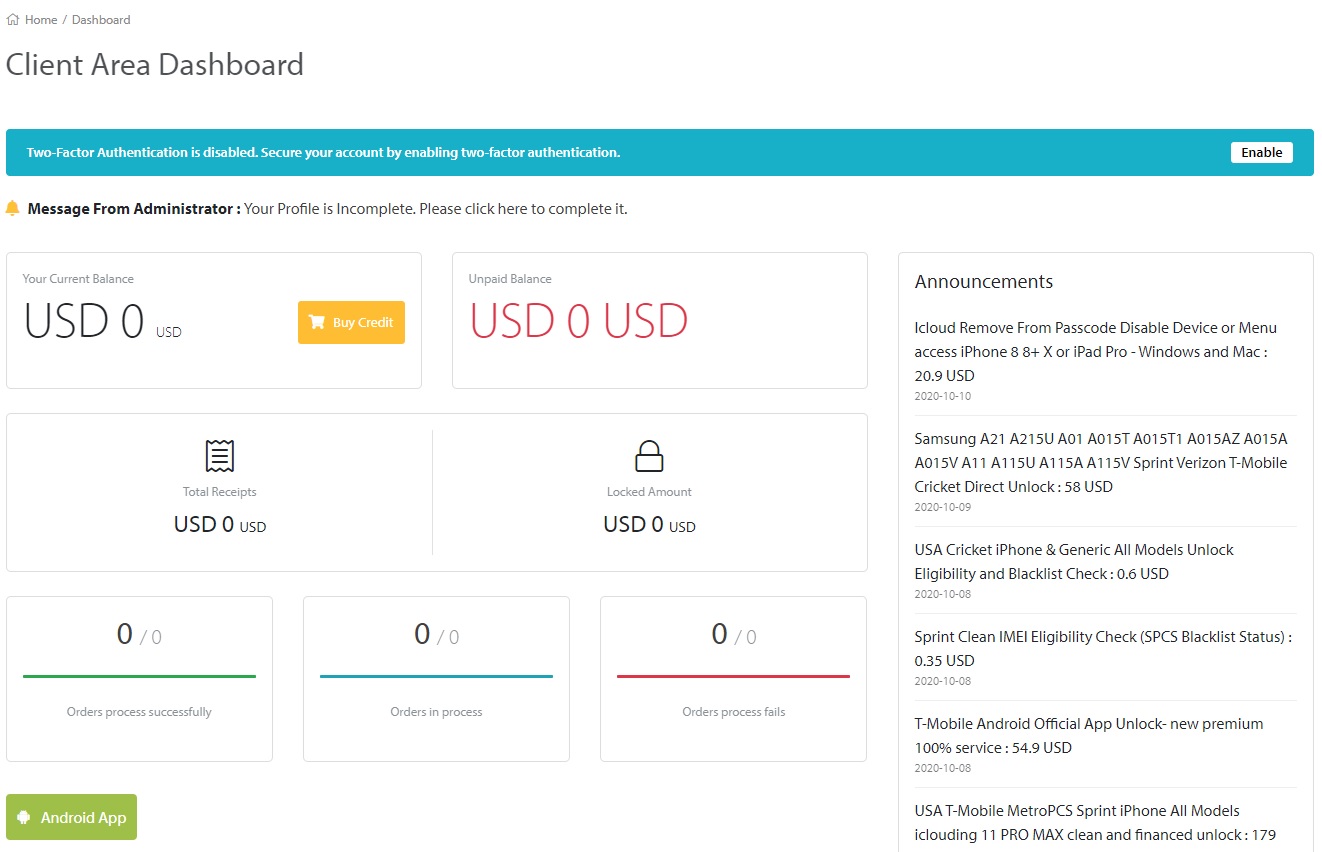
4. Now you have our server added and tap on it to log in and next time will be a lot easier to log in as will just need your PIN
.jpg)
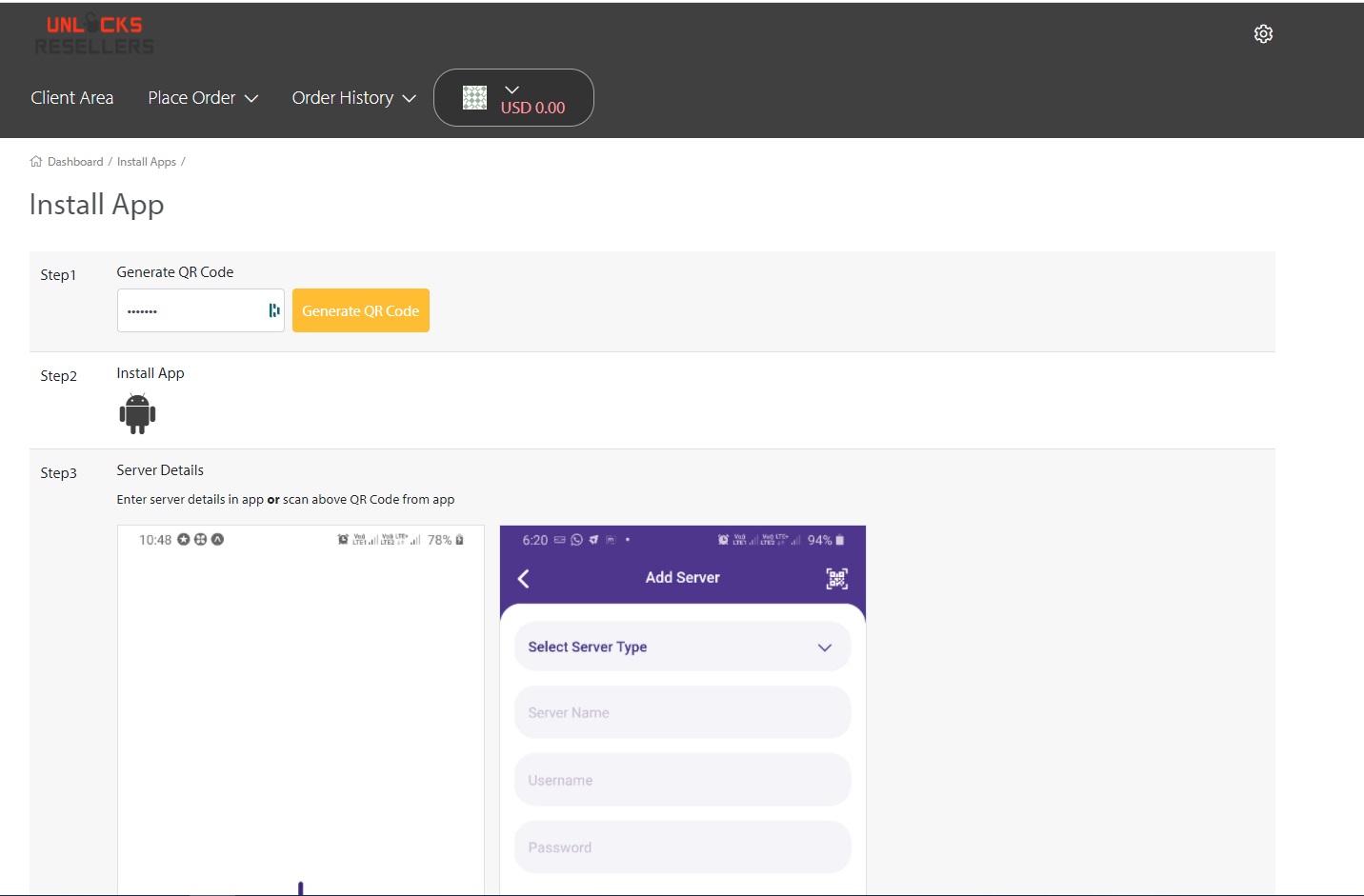
.jpg)